

Netflix is one of the most popular streaming platforms worldwide, offering a huge library of movies, TV shows, and documentaries. While Netflix allows subscribers to download some content for offline viewing on iPhone, iPad and Android smartphones, but not all movies and shows can be downloaded due to content licensing restrictions, and not all devices can download Netflix title. Netflix hasn’t offers Netflix app for Mac, and the Netflix desktop app for Windows 11/10 has removed the Download option, it means that even subscribers can’t download Netflix movies or TV shows to watching offline on computer.
This can be frustrating for users who want to download Netflix movies for offline watching during long flights, commutes, or slow internet connections. In order to watching Netflix movies or TV shows offline on Windows and Mac computer, many users are seeking the best Netflix downloader to replace the Netflix official app. Congratulations, you’ve come to the right place! Today, we recommend a powerful and useful Netflix video downloader for Windows and Mac, you can download Netflix movies to Mac and PC for viewing offline.
To overcome these restrictions, a reliable is necessary to get a third-party Netflix video downloader for help. I have ever used 4kFinder Netflix Video Downloader to download a movies from Netflix on my Macbook, it really helps me download Netflix movies to MP4, while keeping high quality, this program also can save my favorite TV shows to MP4 format, now I can enjoy movies and TV shows on a big screen Macbook Pro. In this article, I’ll explore the features, pricing, and pros & cons of the tool, and explain why it’s an ideal solution for downloading and enjoying Netflix content.
Main Limitations of Netflix Downloads
Device Compatibility
To download Netflix movies or shows for offline viewing, you need a compatible device with the latest Netflix app. Supported devices include Android phones, iPhone, Windows 10/11 PCs, Amazon Fire tablets, and certain Chromebooks. Older systems like Windows 7, 8, or Mac computers can only stream via a web browser.
Device and Plan Restrictions
Your Netflix plan determines how many devices can store downloads. The ad-supported plan does not allow downloads and only streams on two screens. The standard plan supports downloads on two devices in HD, while the premium plan allows downloads on four devices in 4K.
Download Limits
Each device can store up to 100 downloads. If you reach this limit, you’ll need to delete old downloads or upgrade your plan to add more.
Expiration Rules
Downloaded content may expire after a certain time. Some shows or movies must be watched within 48 hours after starting. Certain titles may have stricter download limits or become unavailable if Netflix removes them from the library.
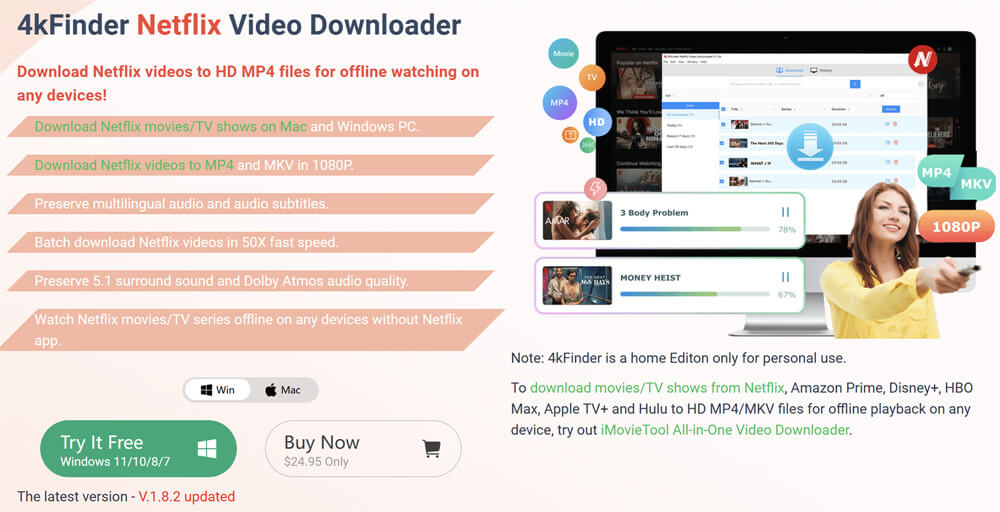
Overview of 4kFinder Netflix Video Downloader
4kFinder Netflix Video Downloader is a powerful tool that helps you easily download Netflix movies and TV shows for offline viewing. With this software, you can convert Netflix videos into HD 1080P MP4 or MKV files, so you can save them permanently and watch them on any device. Its user-friendly interface, fast download speed, and batch download feature make it simple to grab all your favorite shows and movies without waiting.
As a reliable Netflix movies downloader, 4kFinder works on both Windows and Mac computers. It lets you securely store downloaded Netflix content long-term or transfer it to smartphones and tablets. This way, you can download movies from Netflix and enjoy them anywhere without worrying about the platform’s download limits.
Benefits of 4kFinder Netflix Video Downloader
If you’re looking for a reliable way to download Netflix movies and shows for offline watching, 4kFinder offers several advantages. Here are some of its key benefits:
Easy-to-Use Interface
The software has a simple design that makes finding and downloading Netflix content quick and straightforward.
Unlimited Downloads
You can download movies from Netflix and shows from the entire library, even titles not marked as “Available for Download” in the official app.
High-Quality Video
Save videos in MP4 or MKV format with up to 1080P resolution, while keeping original audio tracks and subtitles in multiple languages.
Batch Downloads
Download entire seasons or multiple episodes at once with fast speeds, saving you time.
Built-in Netflix Browser
The integrated browser makes it easy to search, navigate, and start downloads without leaving the program.
Works on Multiple Devices
Compatible with both Windows and Mac, plus you can transfer downloads to phones or tablets for viewing on the go.
Keep Content Forever
Unlike Netflix’s app, this Netflix movies downloader lets you store your shows and movies permanently, even if Netflix removes them later.
Tutorial: How to Download Netflix Movies to Computer with 4kFinder
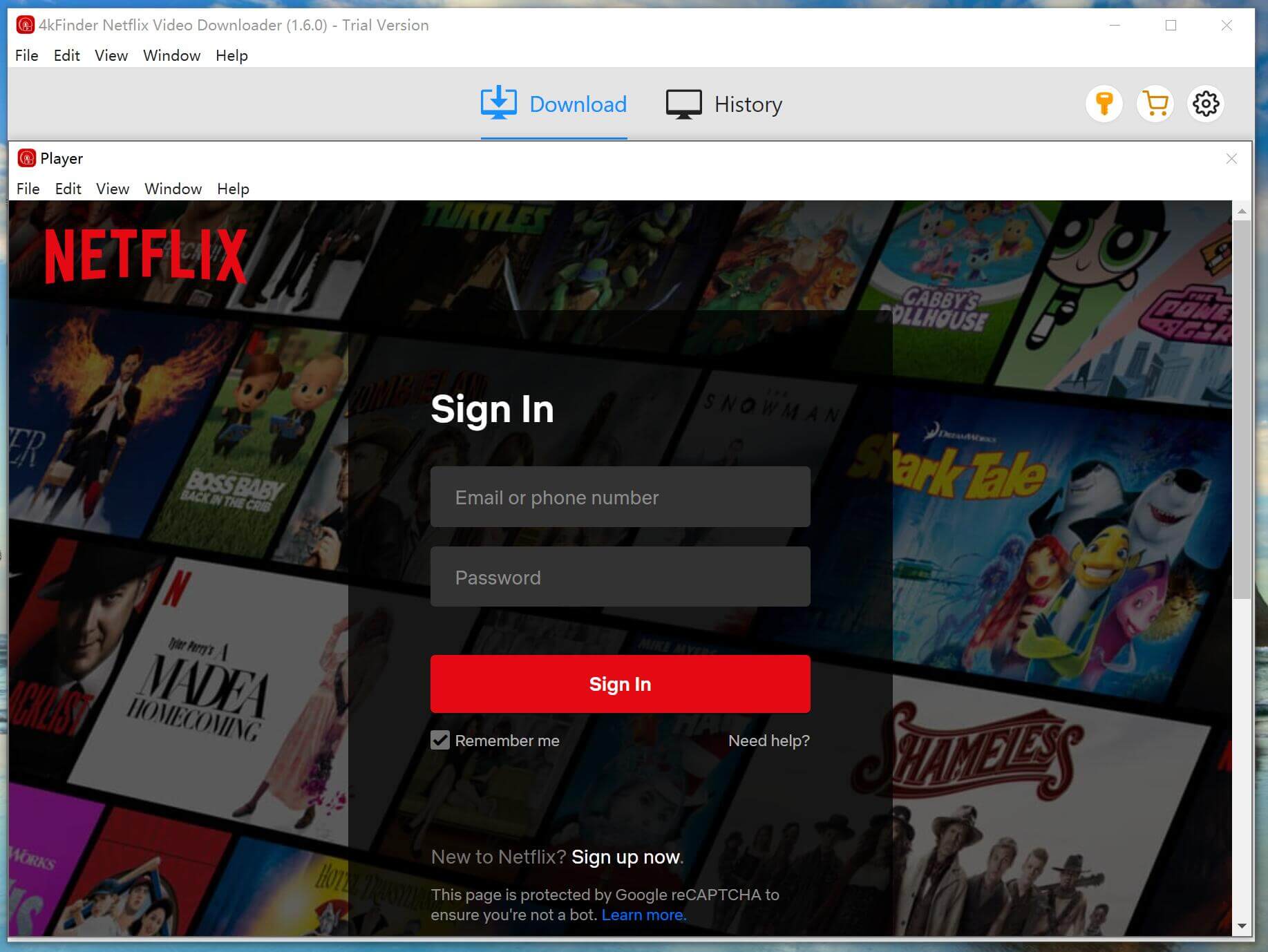
Step 1. Open 4kFinder & Sign in to Netflix
Install and open 4kFinder on your computer, then follow the on-screen steps to log in to your Netflix account.
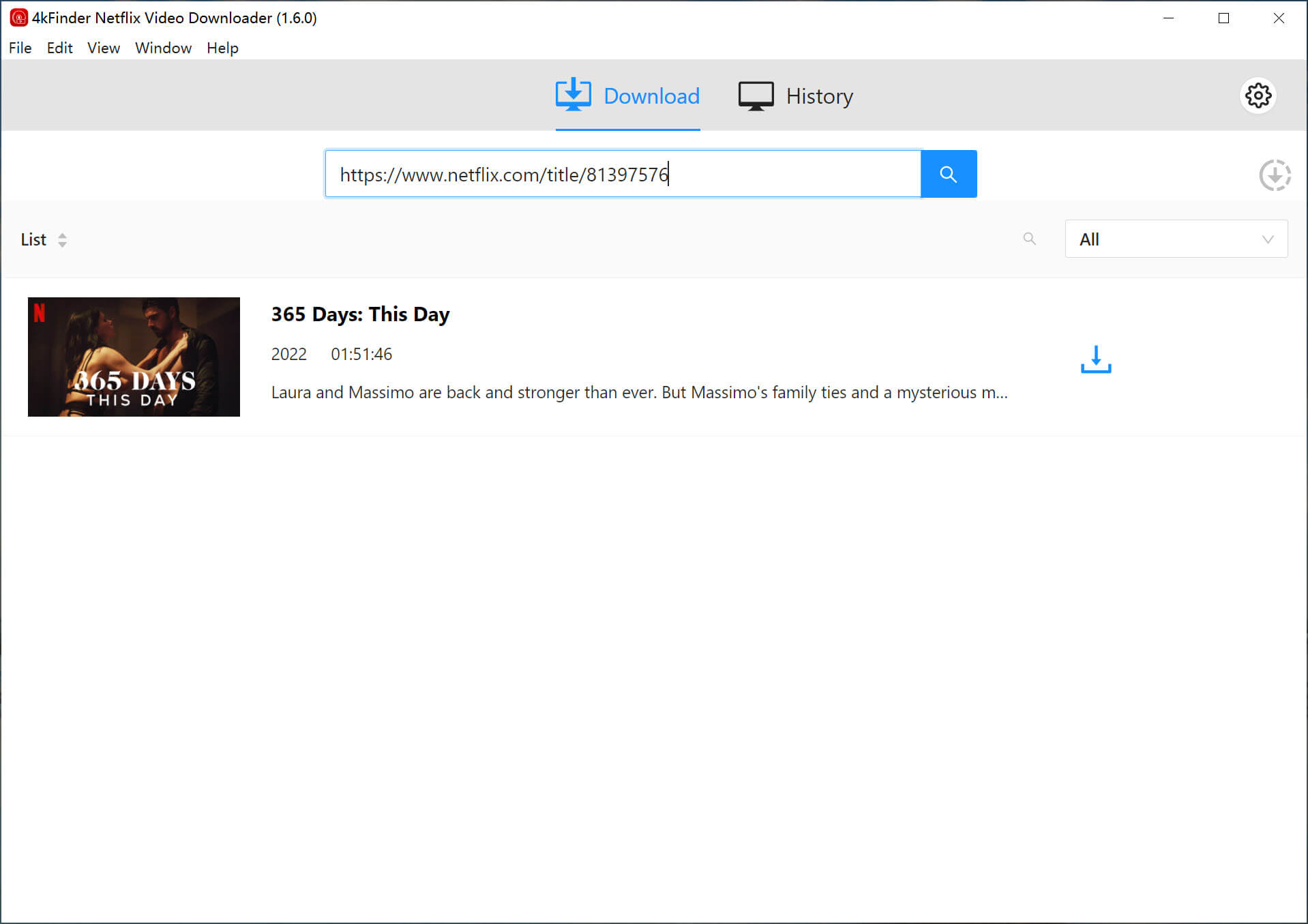
Step 2. Search for Netflix Movie
You can search by typing its title inside the program.
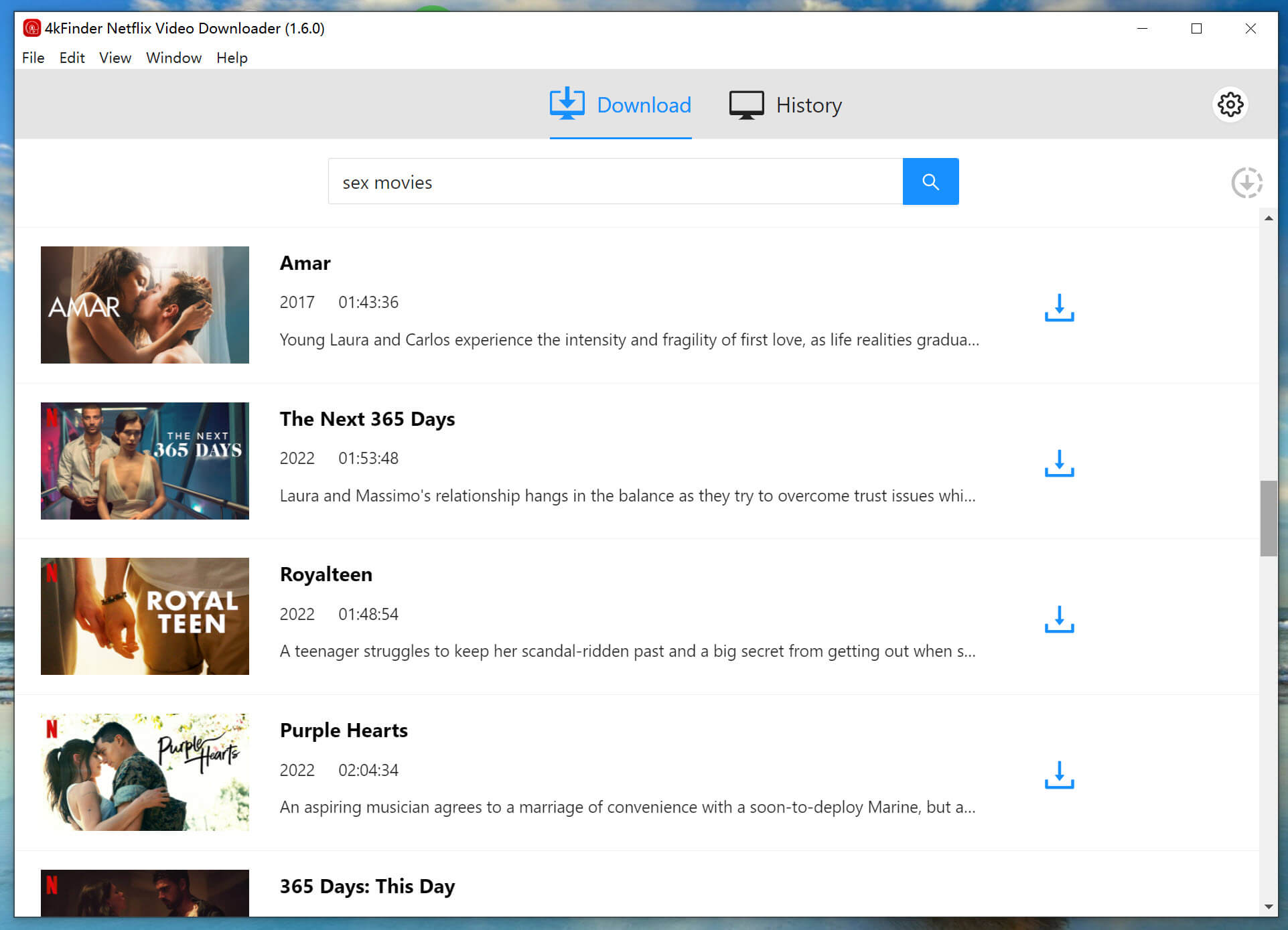
Or paste the video link directly to add Netflix content.
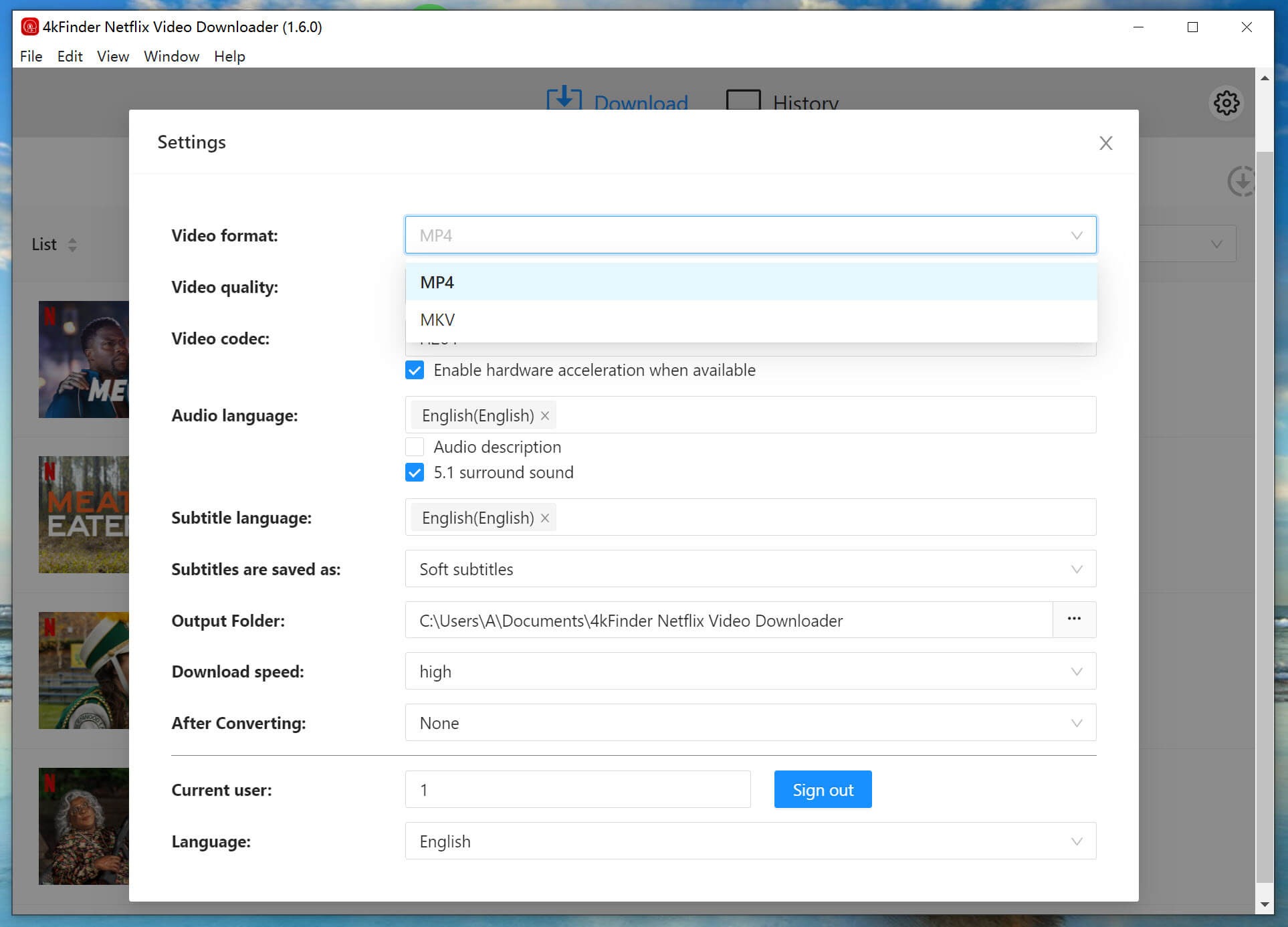
Step 3. Choose Output Settings
Select MP4 or MKV as the format and set the video quality from low to high. You can also pick your output folder, subtitles type, and more.
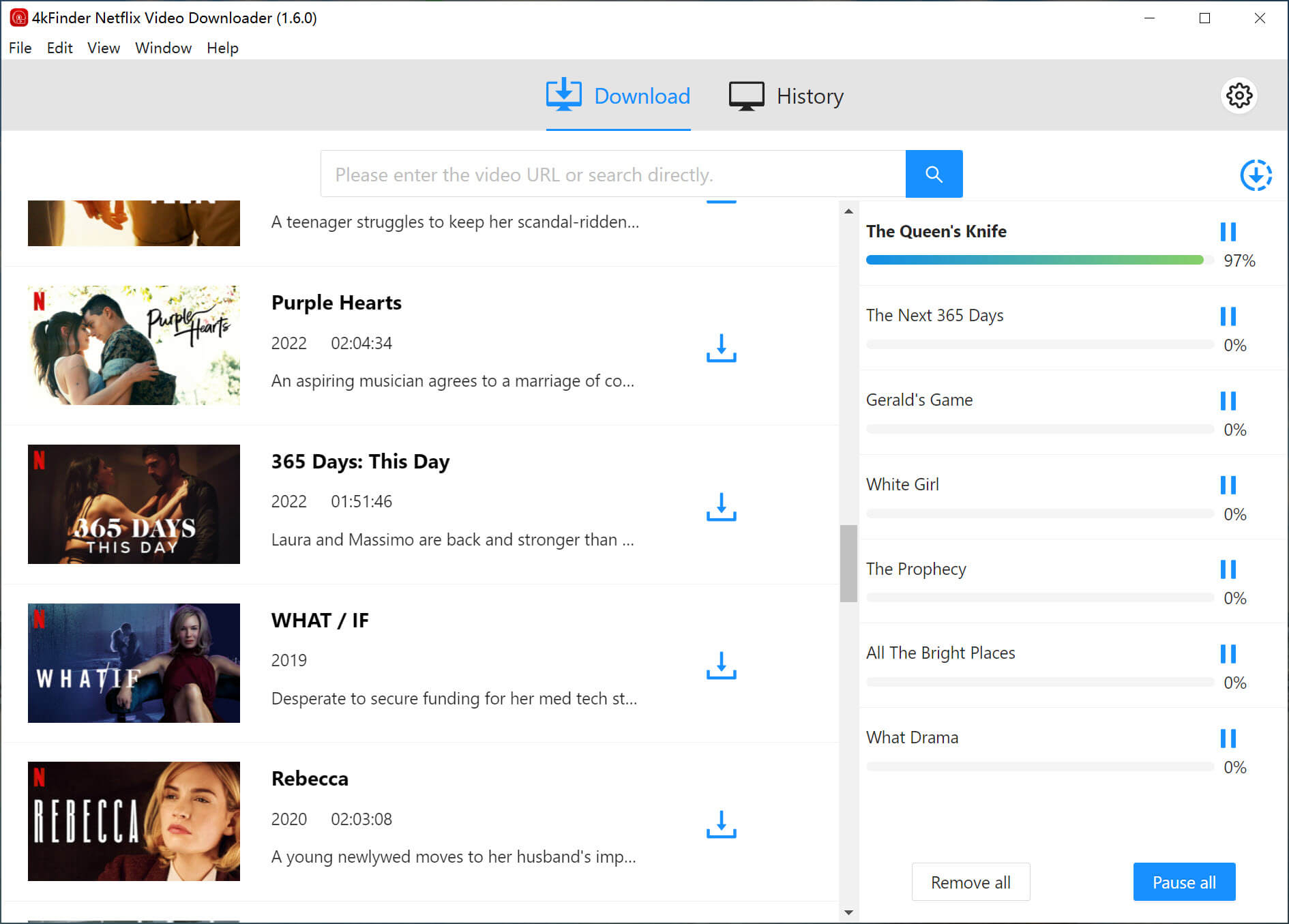
Step 4. Download Netflix Movies
Click the “Download” button to save your selected Netflix movies. You can add more videos to the queue while downloading.
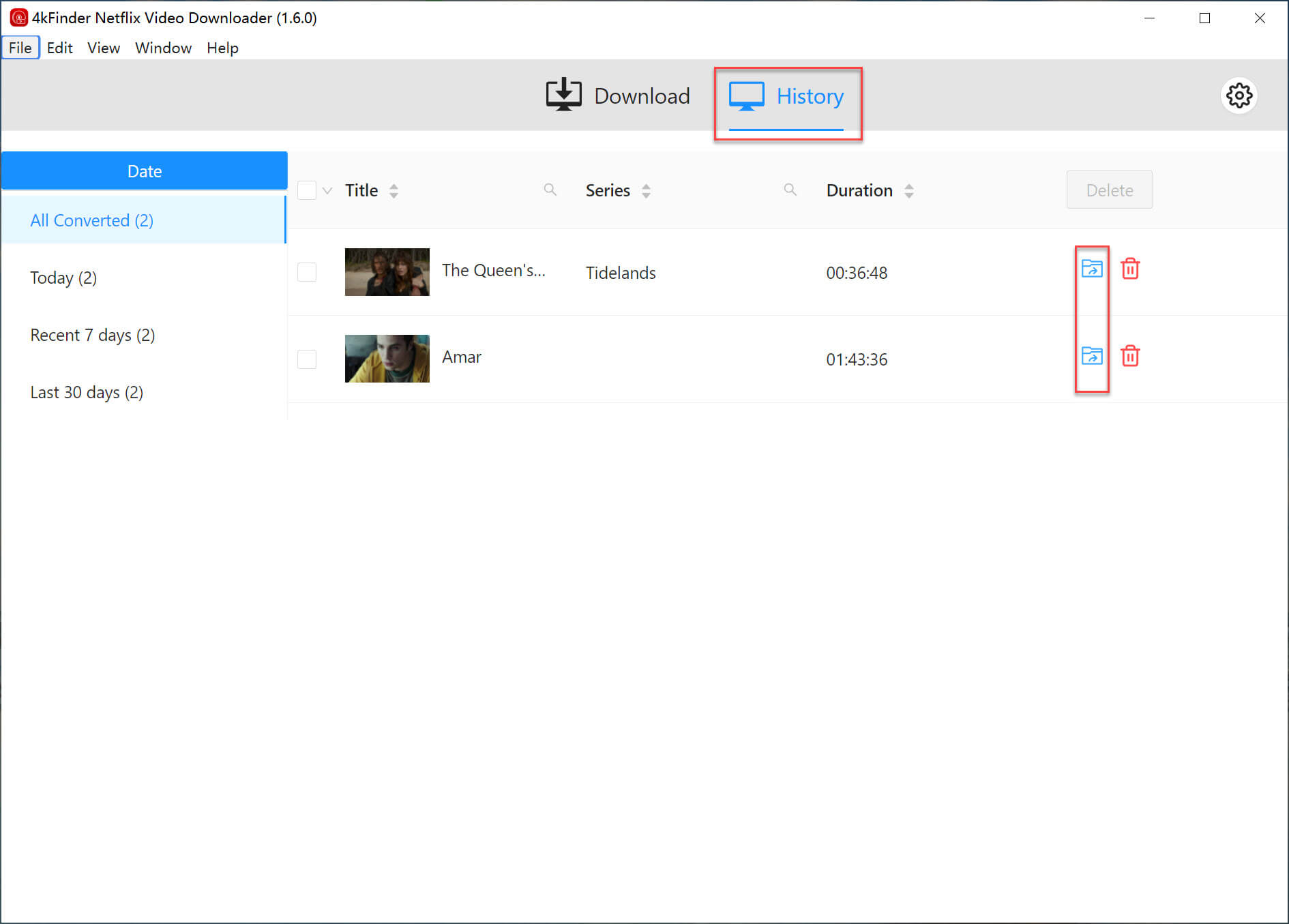
Step 5. Check Netflix Downloads
Once finished, open the “History” tab to view and manage all your downloaded files.
Pros and Cons of 4kFinder Netflix Video Downloader
The 4kFinder Netflix Video Downloader offers many benefits for anyone who wants to save Netflix content for offline viewing. However, like any third-party software, it also has a few limitations to consider.
Pros:
Downloads Netflix videos in MP4 or MKV format.
Provides high-quality 1080p HD output.
Fast downloads with support for batch downloading.
Easy-to-use, intuitive interface.
Keeps audio descriptions for visually impaired users.
Regular updates and responsive customer support.
Strong decryption ensures smooth downloads.
Cons:
Free trial only allows 6 minutes per video.
Works only on Windows and Mac computers.
4kFinder Netflix Video Downloader: System Requirements and Pricing
4kFinder Netflix Video Downloader works smoothly on both Windows and Mac, making it easy for Netflix users to download movies from Netflix for offline viewing without hassle.
Windows: Windows 11/10/8.1/8/7 (32-bit & 64-bit)
Mac: macOS 10.11 or later
Pricing Plans
New users can try the free trial, which unlocks all features but only saves the first 6 minutes of each video. To fully download Netflix movies without restrictions, the full version is required. 4kFinder Netflix Video Downloader offers flexible plans—monthly, yearly, and lifetime—that can be canceled anytime. Available plans include:
1-Month License: $24.95
1-Year License: $59.95
Lifetime License: $89.95
FAQs about 4kFinder Netflix Video Downloader
Q1. Is 4kFinder Netflix Video Downloader legal?
Yes. The tool is meant for personal use only, allowing you to save Netflix videos for offline viewing. Sharing or distributing the downloads without permission is not allowed.
Q2. Can I download Netflix videos with subtitles?
Yes. 4kFinder lets you choose and save subtitles along with the video, so you can enjoy the full viewing experience.
Q3. Are there limits on how many Netflix videos I can download?
No. There are no restrictions on the number of downloads. As long as you have a Netflix subscription and enough storage space, you can save as many videos as you like.
Q4. Can I transfer the downloaded Netflix videos to other devices?
Yes. Once downloaded, the videos are saved as MP4 or MKV files. You can move them to phones, tablets, USB drives, or other devices for offline playback.
Conclusion
Overall, 4kFinder Netflix Video Downloader is a great choice for anyone who wants to download Netflix movies easily. You just log in with your Netflix account, search for what you want, and download movies from Netflix in different video qualities. It also keeps audio tracks and subtitles, with fast speed and video quality almost the same as streaming, making it perfect for offline watching and saving shows long term.
There are a few small downsides, like limits in the free trial, bigger file sizes, and needing authorization the first time you log in. But these don’t affect the overall experience. If you need a reliable Netflix movies downloader to keep your favorite movies and shows forever, 4kFinder is a solid solution.

