

Deezer is one of popular streaming music service, new Deezer users can stream your music for free online and access millions of songs, playlists and podcasts, if you’re a Deezer subscribers, you can download songs for offline listening in the app. But all tracks downloaded from Deezer only are available playback on its official app, you can’t transfer and play them on MP3 player and other devices.
Even though subscribers have downloaded songs to listening offline, once your Deezer subscription expiration, you can’t play songs offline anymore. So, the best ways to make your Deezer song downloads never expire, you will need to download Deezer Music to MP3 format. I have ever used a helpful Deezer music converter & downloader, it named UkeySoft Deezer Music Converter, which a professional Deezer music downloader that lets you download Deezer songs to MP3 in batch, has brought more freedom and convenience to use and enjoy Deezer music offline.
This Deezer music converter enables you to truly save your favorite Deezer songs for offline listening on any device, burn Deezer songs to a CD, or copy them to MP3 player or USB drove, and more. In this review article about UkeySoft Deezer Music Converter, we will discuss its key features, pricing, compatibility, usage, pros and cons. Keep reading to learn how it can free up your collection and build your music library!
What Is UkeySoft Deezer Music Converter?
UkeySoft Deezer Music Converter Features: Benefits It Can Bring
Pricing Plans of UkeySoft Deezer Music Converter
How to Download Deezer Songs to MP3 with UkeySoft?
The Impression of UkeySoft Deezer Music Converter (Pros & Cons)
Conclusion: Is UkeySoft Deezer Music Converter Right for You?
What Is UkeySoft Deezer Music Converter?
UkeySoft Deezer Music Converter is a stable and powerful desktop software that lets you batch download Deezer songs, albums, playlists, and podcasts by embedding the official Deezer web player inside the software. It is able to remove all the limitations set for different tiers of Deezer accounts, including the Deezer Free and Deezer Premium subscription.
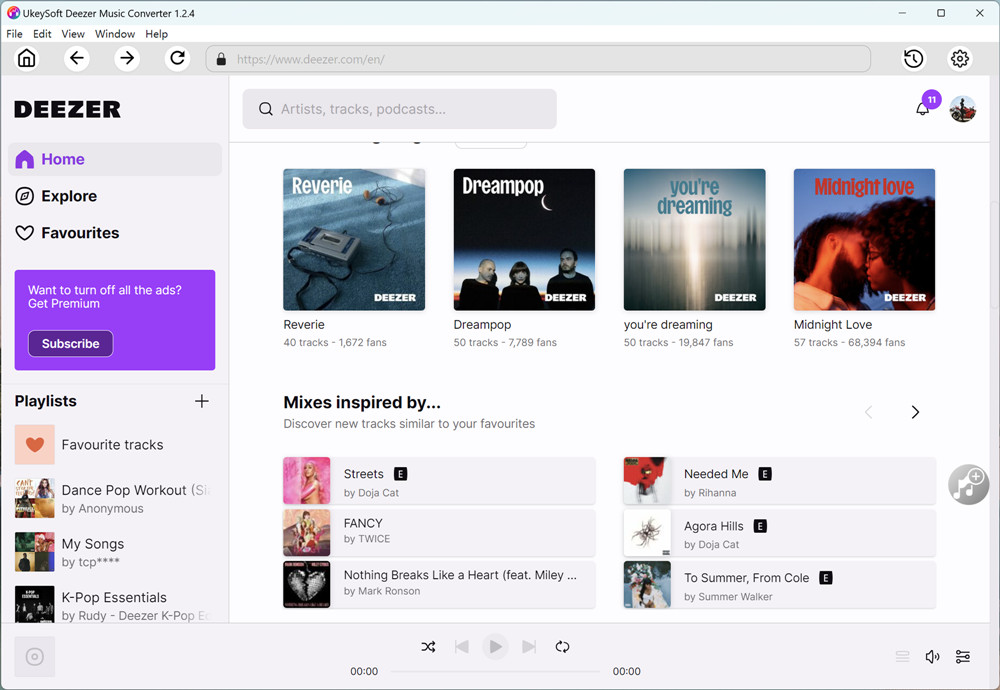
You can access and download all Deezer songs, albums, playlists or podcasts to high-quality MP3, M4A, FLAC, AAC, WAV, or AIFF audio files, and even keep Deezer music offline forever. The downloaded Deezer music will no longer be restricted by Deezer Music App. Instead, you can transfer those Deezer music to any device for offline listening to, like MP3 player, smartphone, tablet, USB drive, SD card, external drive, and more.
UkeySoft Deezer Music Converter Features: Benefits It Can Bring
Overall, UkeySoft Deezer Music Converter ensures a stable, speedy, and high-quality music downloading experience. Now, let’s also go through the sparkling features and benefits that this software can bring to us.
Download All Audio Contents from Deezer
UkeySoft Deezer Music Converterhas equipped with the Deezer web player, allowing you to effortlessly download all Deezer contents without any extra app (including Deezer app). Users simply log in via any of Deezer account (Deezer Free/Premium are both supported) to access the entire music library. Once logged in, they are able to browse, search, stream and choose any Deezer song, album, playlist and podcast to process the download to MP3 right away within the application.
Convert Deezer Music to Multiple Output Formats
The distinguishing difference of the download feature between Deezer Music App and the third-party UkeySoft Deezer Music Converter should be the output music format. Generally, Deezer allows users to download music in encrypted formats for limited playback. On the contrary, UkeySoft Deezer Music Converter supports a wide range of output formats including MP3, M4A, AAC, FLAC, WAV, and AIFF. This ensure the downloaded Deezer songs are able to be played on all kinds of devices and players.
Save Deezer Tracks in High Audio Quality(320kpbs)
UkeySoft Deezer Music Converter is designed to download Deezer music in the original sound quality, the same as you can download from Deezer app. It can download and convert Deezer songs to highest 320kbps MP3 or 640kbps AAC/M4A. Besides that, the software also allows you to customize parameter settings, making it easy for you to tune your offline music streaming experience in the way you like.
Batch Download Deezer Playlist at 16X Speed
With UkeySoft, you don’t need to the download speed at all, as the software has applied the accelerated tech for boosting efficiency, with up to 16X quick downloading speed. Meanwhile, it is possible to process batch downloading Deezer songs at once. You can add an entire playlist or album to the download queue with one simple click. During my testing, UkeySoft downloaded a 130-song Deezer playlist (approximately 4 minutes per song) in about 15 minutes.
ID3 Metadata Preservation and Music Classification
In order to help Deezer users manage the offline music library conveniently, UkeySoft Deezer Music Converter has adopted the most advanced ID tag identification and music classification technology. It will automatically detect and save the original ID3 tags for each downloaded MP3 song, including the cover, title, artwork, album, artist, and genre, etc. Moreover, it enables you to customize the output folder and categorize the downloaded Deezer songs by artist, album or date.
How to Download Deezer Songs to MP3 with UkeySoft?
Step 1. Download and Install UkeySoft
First, visit the official website of UkeySoft, download and install the UkeySoft Deezer Music Converter on your Windows or Mac computer.
Step 2. Launch UkeySoft and Log Into Deezer Account
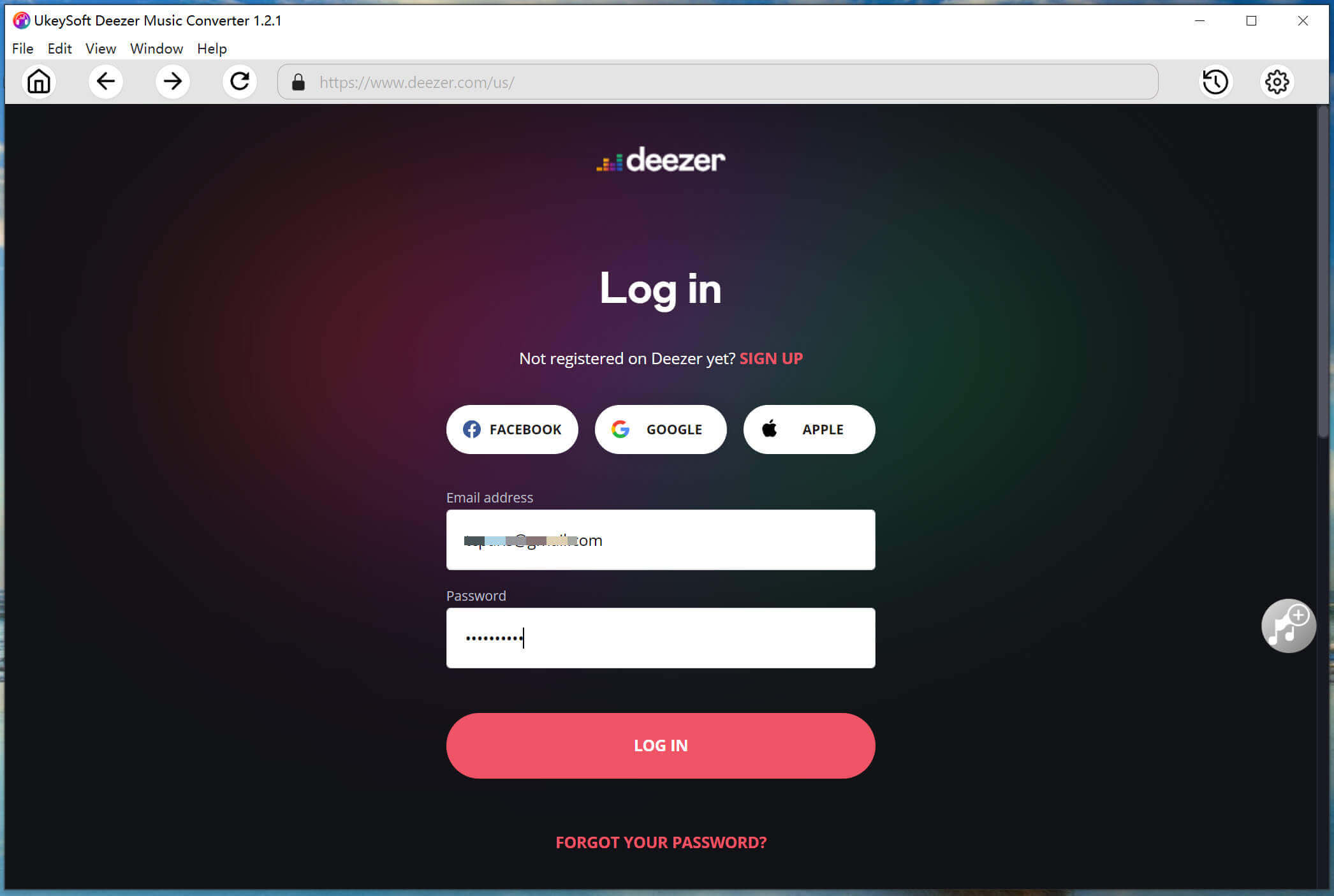
Open the UkeySoft Deezer Music Converter, click the “Key” icon at the upper right corner, enter your registration code. Afterwards, log into your Deezer account to enter the built-in web player.
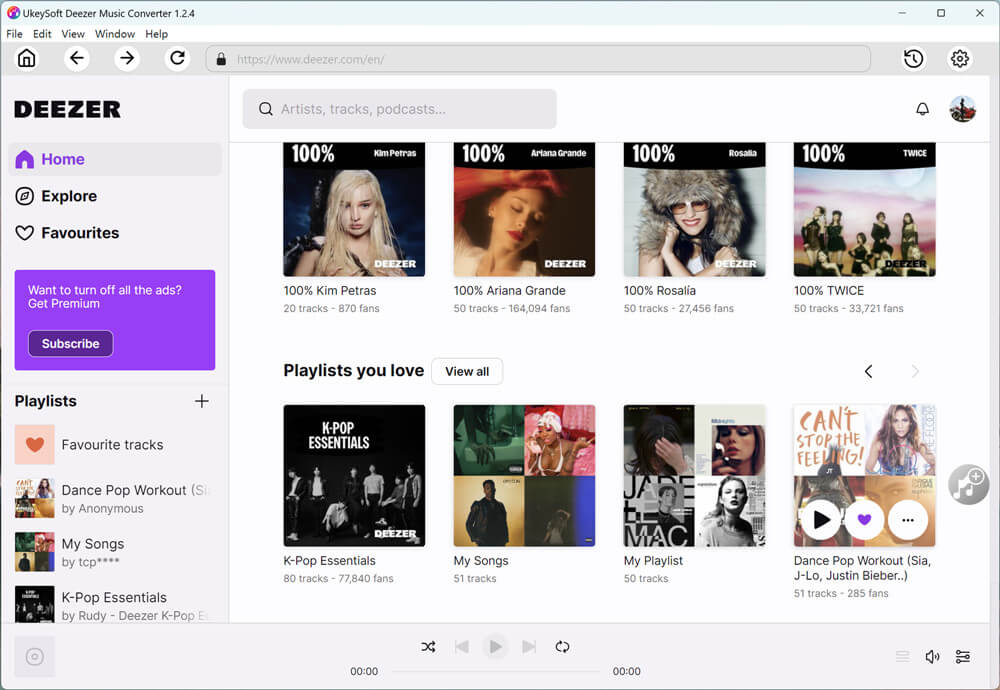
After signing your Deezer account, you are able to access all tracks, playlist, albums, artists and even podcasts directly in its built-in web music player.
Step 3. Configure Output Settings
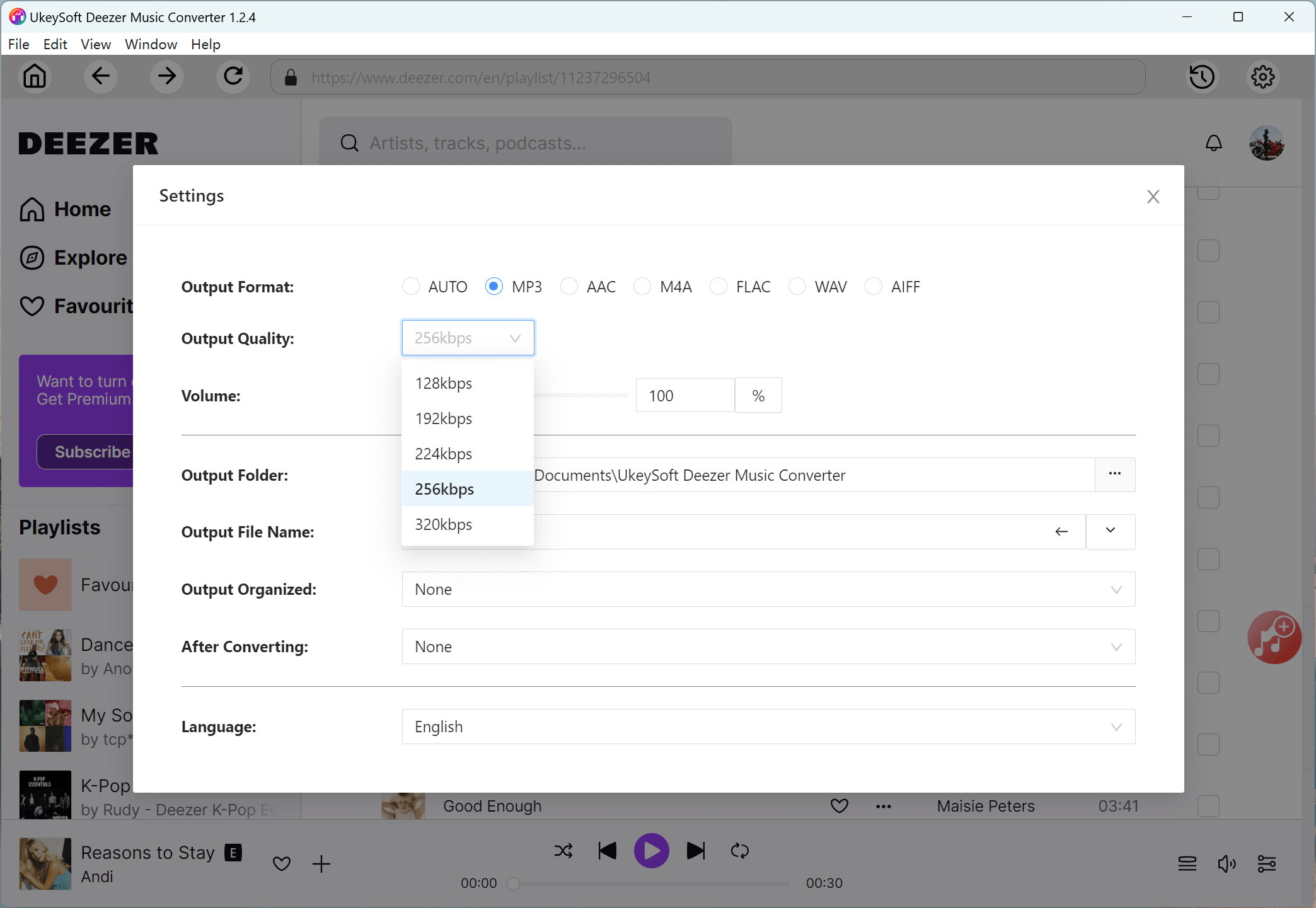
Click the “Gear” icon to adjust the output audio parameters as you like. Here, you can set the Output Format (choose MP3), Output Quality (select 320kbps), Output Folder, Output File Name, Language and more.
Step 4. Search and Add Deezer Songs/Playlists/Albums
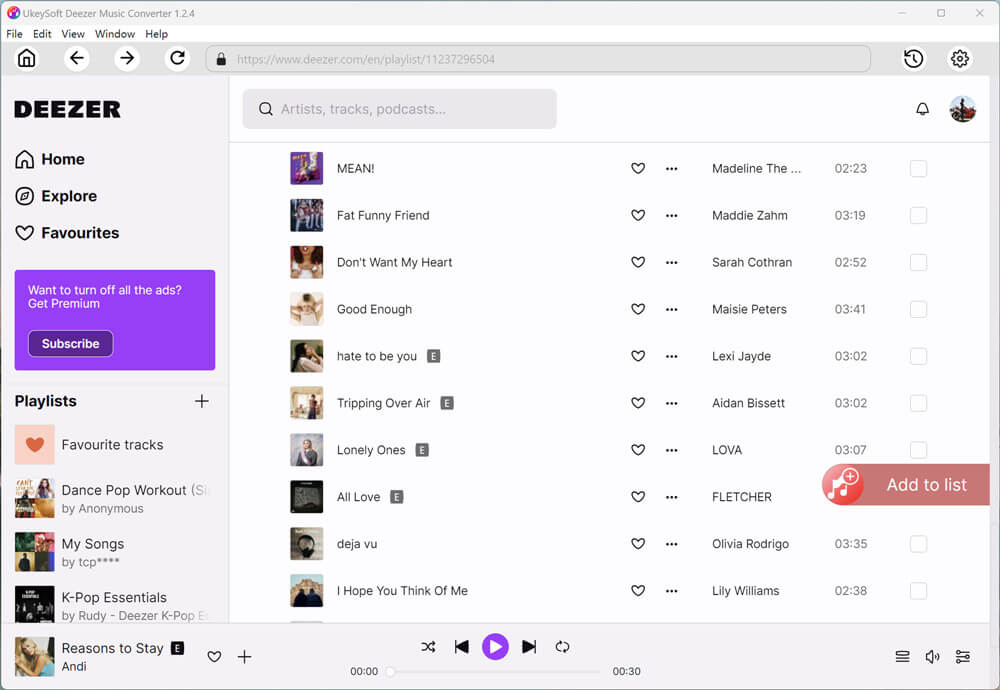
Search for any Deezer audio content via it’s built-in searching bar, you will find songs, tracks, playlist or albums you want, then open a playlist find the music you want to download, and click the red “Add to List” icon in the right side.
Step 5. Select Deezer Songs to Download
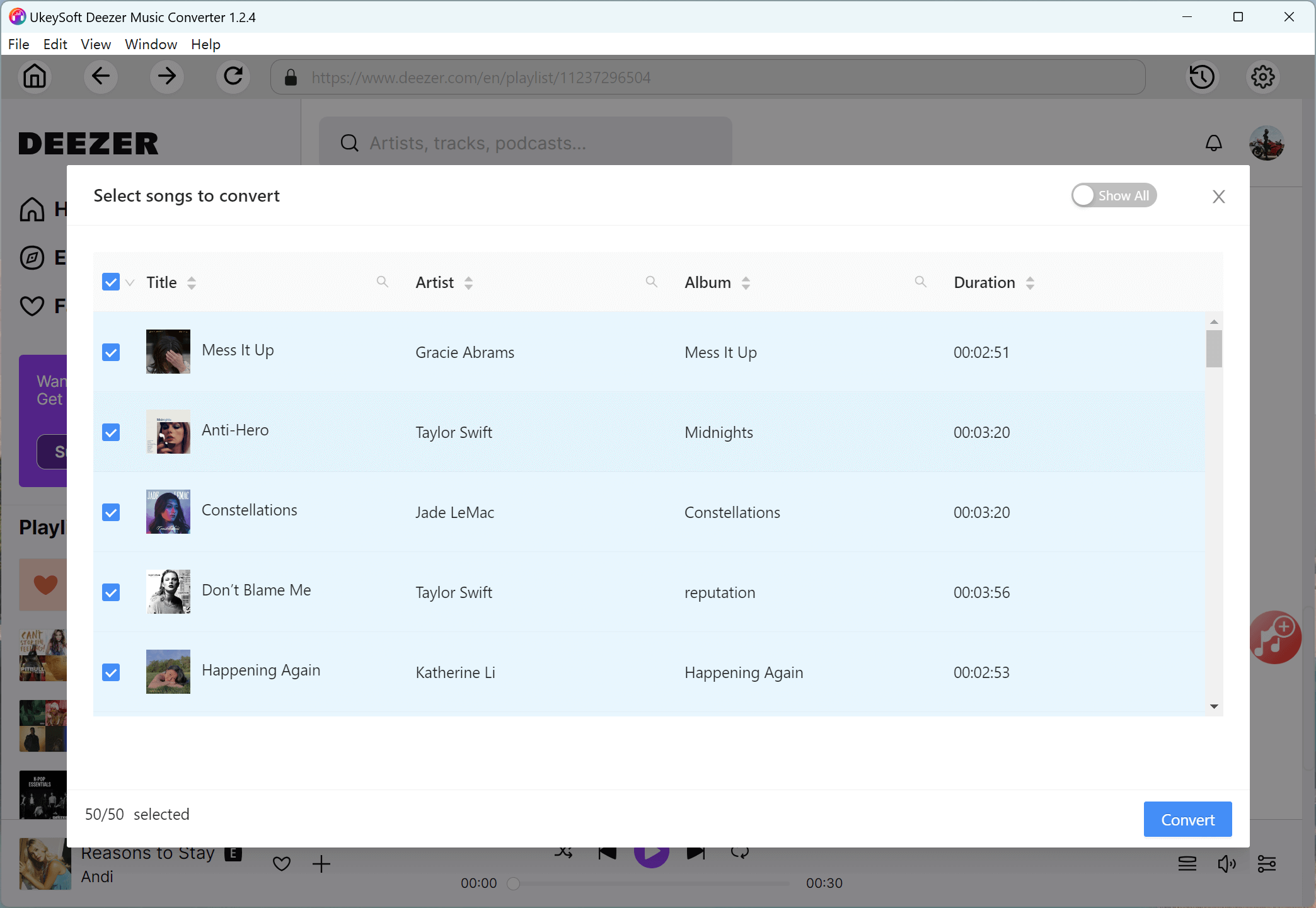
UkeySoft will automatically list all Deezer songs for you to select. Check and confirm your desired Deezer songs.
Step 6. Start to Download Deezer Music to MP3 in Batch
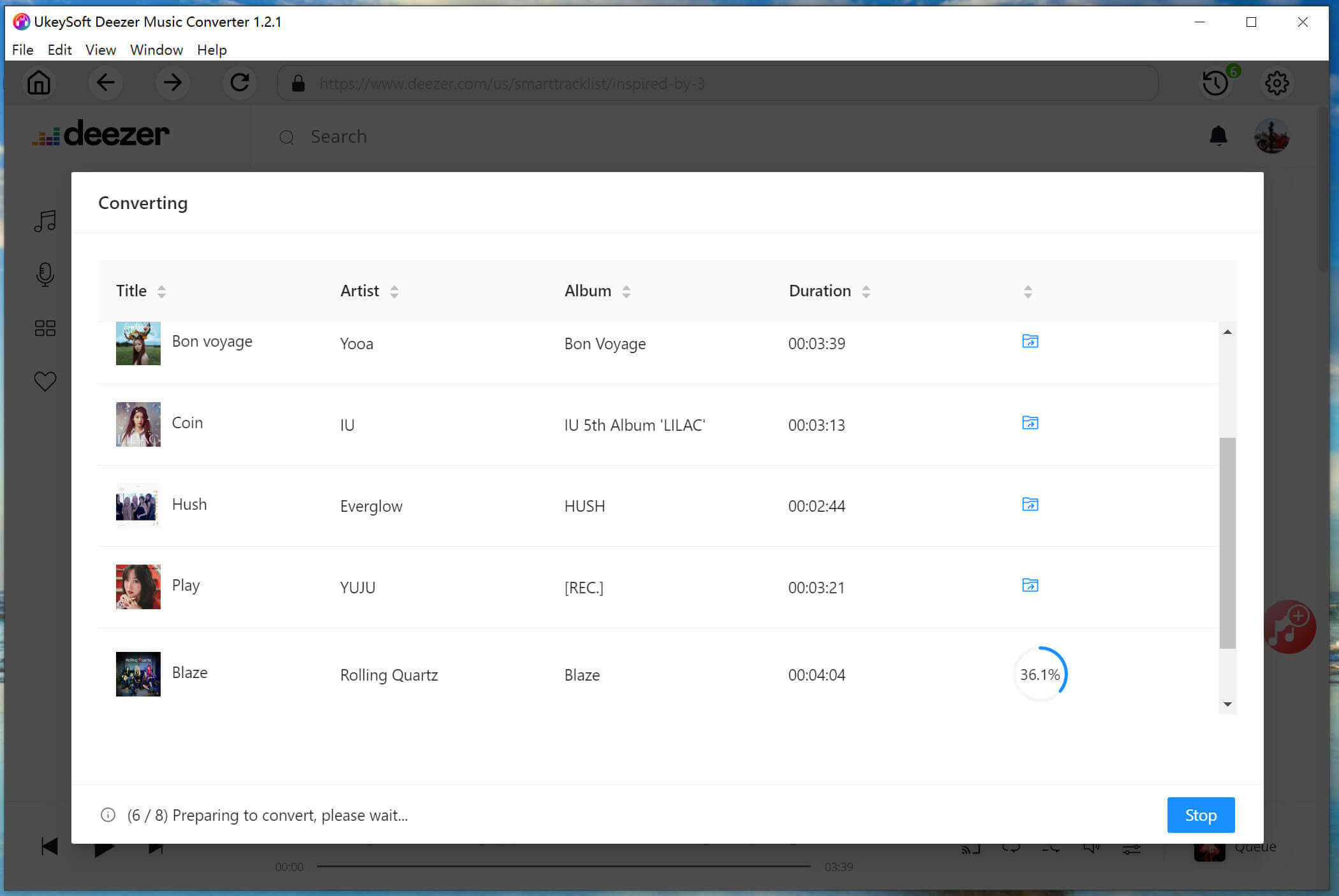
Simply click on the “Convert” button, UkeySoft will now begin processing all selected Deezer songs, downloading and converting them to MP3 files simultaneously at high speed.
Step 7. Access Your Deezer MP3 Files
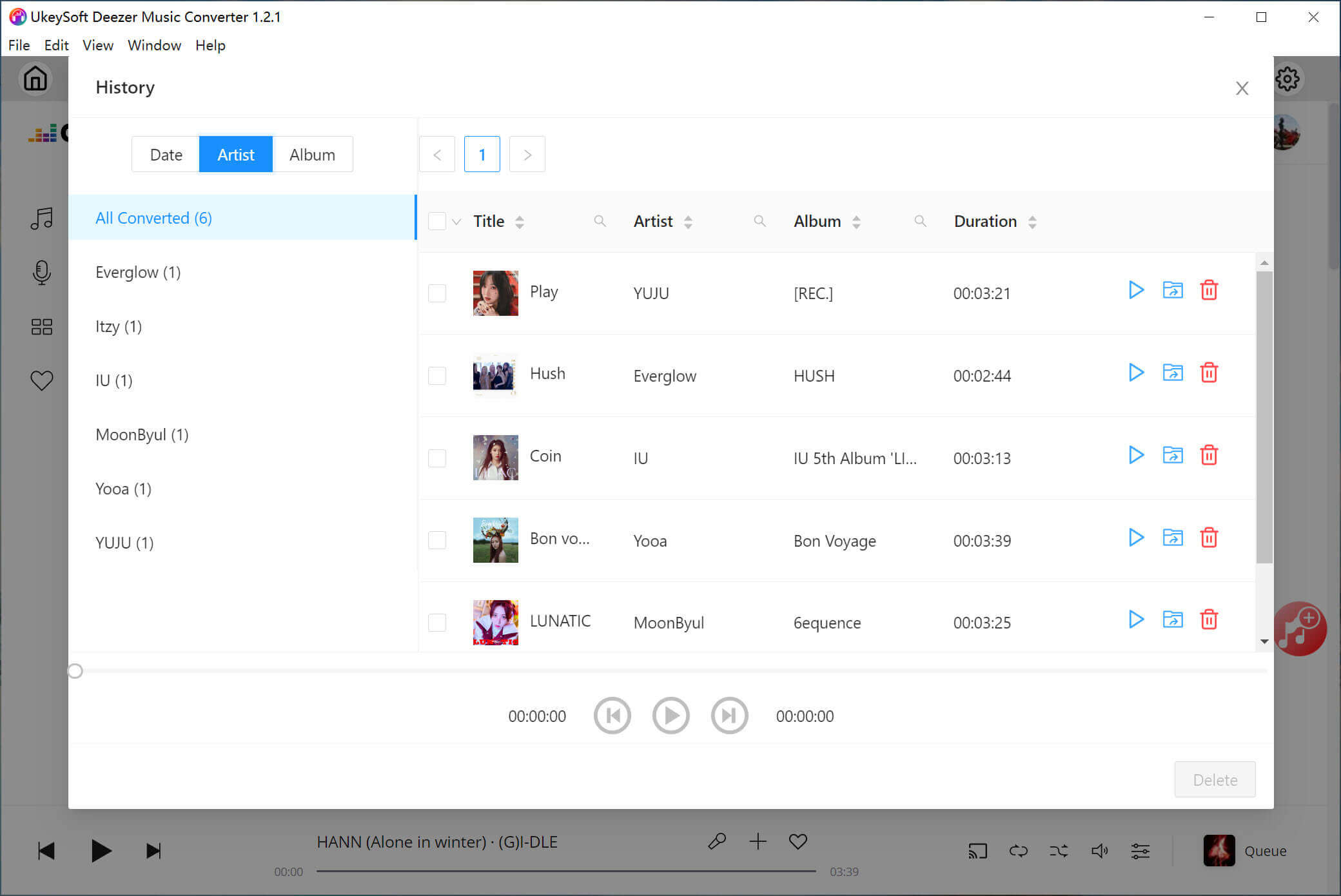
After the conversion is complete, click the “History” (a clock) icon to view all your downloaded Deezer songs. With an in-built music player within the program, you can directly listen to Deezer songs offline!
The impression of UkeySoft Deezer Music Converter (Pros & Cons)
Finally, simply conclude the impression of UkeySoft Deezer Music Converter here for you.
What I Like:
The interface is clean and easy to navigate, no ads and plug-in.
Built-in Deezer web player in the software to simplify and boost the music downloads.
Offers multiple audio formats to download Deezer music to your computer.
Supports high-quality downloads and lets you select the quality based on your needs.
Keep Deezer songs, playlists, albums and podcasts forever even if you cancel the subscription.
Preserve original ID3 tags to help you better manage the downloaded Deezer songs offline.
What I Don’t Like:
No mobile app, and you will need to install the software on your desktop.
You cannot play the songs within the UkeySoft interface or Deezer app during conversion.
Limited download function in the free trial, requires a subscription plan to unlock full features.
Pricing Plans of UkeySoft Deezer Music Converter
UkeySoft Deezer Music Converter is a powerful and helpful music downloader and music converter for all Deezer users, all Deezer users need to own one to download and mange their tracks. UkeySoft music converter is compatible with both Windows and Mac systems, including Windows 7/8/8.1/10/11, and Mac OS X 10.11 or above. To buy UkeySoft Deezer Music Converter bundles (1 PC + 1 Mac) or Deezer Music Converter + Audible Converter, you will get 70% off discount. Of course, UkeySoft also offers free trial version for new users test to download Deezer songs for free without paying a fee. Check out its price comparison below:
Free Trial Version: (1 PC/Mac)
Limited feature in downloading, only allowing you to download the first 3 minutes of each song.
1-Month Subscription: $14.95 (1 PC/Mac)
Access to full features for 1 month, unlimited downloads, 5 days money back guarantee, free updates and technical supports.
1-Year Subscription: $59.95 (1 PC/Mac)
Access to full features for 1 year, unlimited downloads, 5 days money back guarantee, free updates and technical supports.
Single Lifetime Plan: $89.95 (1 PC/Mac)
Access to full features forever, unlimited downloads, 30 days money back guarantee, free updates and technical supports.
Conclusion: Is UkeySoft Deezer Music Converter Right for You?
As above detail review contents, you will know everything about UkeySoft Deezer Music Converter. It is highly recommended if you want to save Deezer songs to listen on any device you want, such as an MP3 player, iPod Nano, car player, game console, etc. It can batch download Deezer songs/albums/playlists/podcasts to MP3, making your Deezer music streaming experience more convenient and flexible offline. With this tool, you can easily bypass all download and playback restrictions set by Deezer. Whether UkeySoft Deezer Music Converter worth buying? Please download the trial version to have a try now.
Actually, this converter actually are able to replace with Deezer app, you can directly download, convert, play and manage your songs in this tool, you don’t need to install the Deezer app anymore. Let’s enjoy your favorite Deezer songs offline anytime, anywhere!

