

Why a VPN Still Matters in 2026 (Yeah, Even If You “Have Nothing to Hide”)
People talk about VPNs like they’re either magic cloaks or total scams. I think they’re neither. They’re more like… a decent deadbolt on a door you still shouldn’t leave wide open. Sometimes you’re careful, sometimes you’re tired, sometimes you’re on airport Wi‑Fi with 3% battery and zero patience.
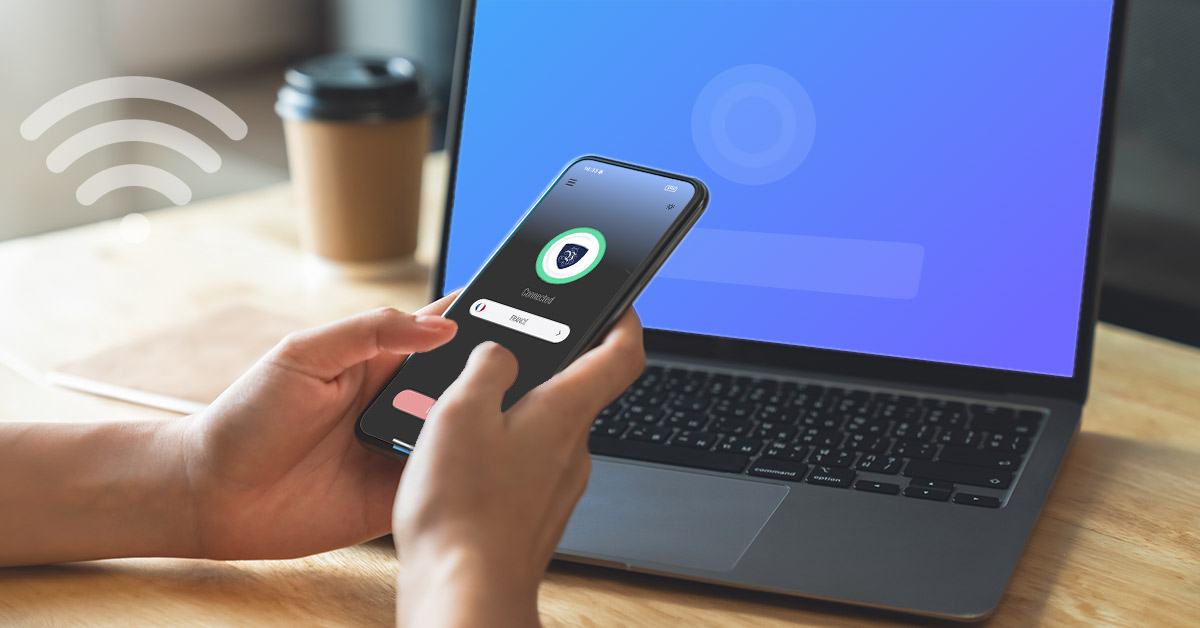
1. Protect Your Data on Public Wi‑Fi
1.1 How VPNs Encrypt Your Traffic
Public Wi‑Fi is a vibe until it isn’t. When you connect without protection, your traffic can be read or messed with by anyone who’s lurking on that same network. A VPN wraps your internet connection in encryption, then ships it through a tunnel to a VPN server. So the sketchy person at the next table sees… noise. Garbage. Static.
It’s not “you become invisible.” It’s more like you stop broadcasting your business in a crowded room. And yes, encryption can slow things down a bit. Life’s full of tradeoffs. Deal with it.
1.2 Real Risks of Using Unsecured Networks
The risks aren’t theoretical. People run evil twin hotspots (“FreeAirportWiFi” with a sneaky typo), sniff traffic, hijack sessions, inject ads, push fake update popups. Some of it looks childish. Some of it empties accounts.
Even if you only “check email,” that’s often enough. Password resets. Tokens. Your whole digital house keyring. One sloppy login and you’re spending the weekend talking to support bots. No thanks.
2. Stop ISPs and Mobile Carriers from Tracking You
2.1 How ISPs Build Detailed Profiles
Your ISP sits in the middle of your online life like an overpaid hall monitor. They can see where you go (domains, timing, frequency), how often, and at what hours you get doom-scrolly. Even with HTTPS, they still see a lot of metadata. And metadata is basically the diary you “didn’t write.”
Mobile carriers do the same dance, just with extra location sauce, plus device identifiers, plus app behavior. It’s a whole little economy of “insights.” Gross word, honestly.
2.2 Using a VPN to Obscure Your Online Activity
A VPN shifts what your ISP can see. Instead of “you visited these 40 sites,” it becomes “you connected to a VPN server at 9:12pm and pushed a bunch of encrypted traffic.” They still know you exist. They still know you’re using data. They just can’t read the menu.
Does this solve privacy forever? Nah. If you log into everything with the same account, you’re still you. But it cuts one big snoop out of the loop.
3. Shield Every Smart Device in Your Home
3.1 VPNs on Routers for Whole-Home Coverage
Routers are underrated. Put a VPN on the router and suddenly your whole house is covered: laptops, consoles, tablets, that ancient iPad you refuse to throw away because it “still works.” It’s one setup, then you forget about it. Which is the dream, because nobody wants to babysit settings forever.
Router VPNs can be a little fiddly, and some cheap routers wheeze under the load. If your Wi‑Fi starts feeling like dial-up, you’ll know why.
3.2 Securing IoT Devices That Can’t Run VPN Apps
Smart devices are messy little gremlins. Lightbulbs, cameras, thermostats, speakers . . . half of them can’t run a VPN app, and some of them phone home like they’re getting paid per call. A router-level VPN helps box them in.
Also: segmentation matters. Put IoT junk on a guest network if you can. I’m not saying your toaster is plotting a coup. I’m saying IoT security is often a joke with a plastic badge.
4. Access Region-Locked Content and Services
4.1 Streaming Libraries and Sports Blackouts
Region locks are the internet’s least charming scam. You pay for a service, then they tell you the show “isn’t available in your location.” Cool. Love that for us.
VPNs can help by giving you an IP address in another region, so the service thinks you’re there. Sports blackouts are the meanest version of this, because they’re basically punishment for caring. Sometimes it works, sometimes streaming apps fight back, and you end up swapping servers like you’re trying on shoes.
4.2 Accessing Apps and Sites Blocked in Your Country
Some places block news sites, chat apps, Wikipedia pages, random forums, whole chunks of the open web. A VPN can route you around that censorship by exiting through a different country.
Real talk: in some regions, using a VPN can bring legal trouble. Don’t be reckless. Privacy tools are not superhero capes. They’re tools. Tools can get you hurt if you swing them thoughtlessly.
5. Stay Safer on Mobile and 5G Networks
5.1 VPNs for Always-On Protection on the Go
Mobile is where people get sloppy, because you’re walking, commuting, juggling coffee, tapping “Join” on whatever network pops up. VPN apps with always-on mode stop the “oops, I forgot” problem.
5G is fast, sure, but speed doesn’t equal privacy. You can stream a movie while someone profiles you. Multitasking, baby.
5.2 Mitigating Location and Ad-Tracking on Smartphones
Phones leak context like a broken faucet: location hints, ad IDs, Wi‑Fi scanning, Bluetooth beacons, app telemetry. A VPN won’t fix all of that, and anyone telling you it will is selling snake oil in a nicer bottle. It does reduce some network-level tracking and makes it harder to stitch your behavior together from one clean stream.
Pair it with basic hygiene: kill ad ID tracking, limit location permissions, stop giving flashlight apps access to your contacts. Seriously.
6. Reduce Targeted Ads and Data Broker Profiling
6.1 How Advertisers Track You Across Devices
Targeted ads aren’t just “cookies.” It’s device fingerprints, login graphs, cross-device matching, email hashes, embedded pixels, SDKs buried in apps you didn’t even want but had to install to park your car downtown.
Data brokers buy, sell, and remix profiles like they’re trading cards. Age range, interest clusters, “likely homeowner,” “recently moved,” “new parent,” “impulse buyer,” “reads about anxiety at 2am.” It’s intimate in the creepiest way.
6.2 Using VPNs with Privacy Tools for Better Anonymity
A VPN helps by masking your IP from sites and ad networks, which removes one sticky identifier from the pile. Then stack other tools: tracker blockers, hardened browser settings, DNS filtering, email aliases. You’re not chasing purity. You’re reducing the surface area.
Some VPNs include ad/tracker blocking. Nice bonus, sometimes. Test it, don’t just trust the marketing page.
7. Prepare for Stricter Surveillance and Data Laws in 2026
7.1 Emerging Government and Corporate Monitoring Trends
2026 is shaping up to be more “verify everything” and less “leave people alone.” More ID checks, more logging requirements, more pressure on platforms to police speech, more corporate “safety monitoring” that somehow always turns into broader collection.
AI makes surveillance cheaper. That’s the quiet horror. Stuff that used to take a team now takes a script and a budget line item. And once the pipes exist, they rarely get dismantled. They just get “expanded.”
7.2 Choosing a Future-Proof VPN: Key Features to Look For
If you’re picking a VPN for the next couple years, I’d look for boring, real features. If you’re on Windows, you can get started by installing a reliable VPN client that supports them:
- Verified no-logs posture (audit reports help; reputation helps more, sometimes).
- Modern protocols like WireGuard (fast, less janky).
- Kill switch that actually works when the connection drops.
- Multi-platform support plus router compatibility, if you want whole-home coverage.
- Transparent ownership and clear policies. If the “About” page reads like a magic act, walk away.
- Reasonable server spread so you’re not crammed onto one overloaded endpoint.
Also: free VPNs. Some are fine for testing. Lots are data vacuums with a cute UI. If you’re not paying, you’re the product… yeah, that old line still bites because it’s often true.
A VPN won’t save you from everything. It won’t fix bad passwords, or phishing, or the impulse to click “Allow” on whatever pops up. But it shuts a few big windows. That’s worth something, even on days you don’t feel like being your own security team.
