

Introduction
Imagine arriving home and realizing that your CCTV system has not recorded crucial footage, leaving your property vulnerable and you feeling exposed. This scenario is all too common for many homeowners and businesses alike. The first step when faced with this issue is to remain calm and systematically troubleshoot the problem before considering professional assistance. This guide will provide you with a comprehensive five-point checklist designed to help identify potential issues with your CCTV system before reaching out to an engineer.
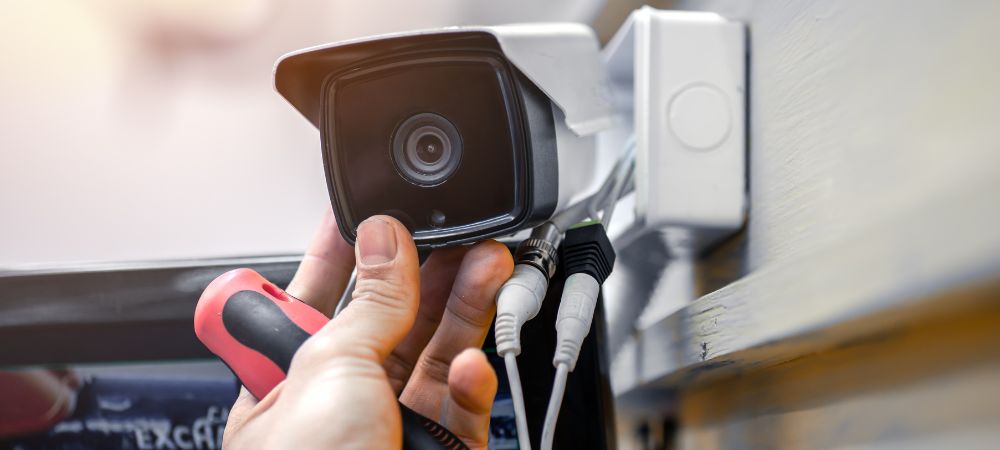
Understanding Your CCTV System
Before diving into troubleshooting, it is essential to understand the components that make up your CCTV system. Most systems consist of cameras, a digital video recorder (DVR) or network video recorder (NVR), cables, power supplies, and sometimes cloud storage options. Familiarity with these elements will empower you to diagnose issues more effectively.
It is also important to note whether your system uses analog or digital technology, as troubleshooting steps may vary slightly depending on the setup.
Common Reasons for Non-Recording
CCTV systems can fail to record for various reasons, including technical malfunctions or simple user errors. Some common causes include:
- Power outages or disruptions.
- Loose or damaged cables.
- Full storage devices preventing further recording.
- Incorrect recording settings.
- Network issues affecting remote access or cloud storage capabilities.
By understanding these common pitfalls, you can save time and potentially avoid the costs associated with hiring an engineer.
The 5-Point Checklist
Before calling in a professional from Aerial Force, follow this five-point checklist to troubleshoot your non-recording CCTV system effectively.
1. Check the Power Supply
The first step in diagnosing a non-recording CCTV system is checking the power supply:
Ensure that the power adapter is plugged in securely.
Look for any signs of damage on the power cable.
If you have a power strip or surge protector, make sure it is functional.
For battery-operated cameras, check if the batteries need replacement.
A consistent power supply is crucial for all components of the CCTV system to function correctly.
2. Verify Camera Connections
Next, inspect all connections within your system:
Check that each camera is properly connected to the DVR/NVR.
Look for any loose cables that may have come undone.
Ensure that connectors are free from dirt or corrosion which could impede connection quality.
By ensuring secure connections, you reduce the risk of signal loss which can prevent recording.
3. Inspect Storage Capacity
Another critical aspect to investigate is your storage capacity:
Access your DVR/NVR interface and check if the hard drive is full.
If using cloud storage, verify that you have not exceeded your data limit.
Many systems automatically overwrite old footage if configured that way; however, if this functionality has been disabled or if there are files that need manual deletion, it can lead to recording issues.
4. Review Configuration Settings
Misconfigured settings can often lead to recording failures:
Log into the DVR/NVR system and review recording schedules.
Ensure motion detection settings are enabled if applicable.
Check whether recording quality settings are set appropriately; lower quality may not utilize storage efficiently.
Taking time to familiarize yourself with these settings can reveal simple oversights that are preventing your system from capturing footage.
5. Assess Network Connectivity
For systems relying on network connectivity, assess whether your internet connection is stable:
Check Wi-Fi strength if using wireless cameras; consider relocating them closer to the router if necessary.
Test your internet speed to ensure it meets the requirements for streaming and remote access.
If cameras are unable to connect due to network issues, they will not be able to send recordings back to the DVR/NVR or cloud service.
When to Call an Engineer
If you have gone through this checklist and still find that your CCTV system is not recording, it may be time to call in an expert such as Aerial Force. Their trained technicians can provide a thorough inspection and diagnose more complex issues related to hardware failures or software glitches that are beyond basic troubleshooting.
Be prepared by documenting what you have already checked so that they can assist you more effectively.
Preventive Measures for Future Issues
Prevention is always better than cure when it comes to technology failures:
- Regularly inspect your CCTV system at least once a month for any wear and tear.
- Keep firmware updated; manufacturers often release updates that improve performance and security features.
- Consider investing in a UPS (uninterruptible power supply) for added security against power surges or outages.
- Schedule routine maintenance checks with a trusted provider like Aerial Force every six months.
Implementing these preventive measures will help ensure that your system remains reliable and functional over time.
Aerial Force: Your Trusted Partner in CCTV Solutions
When dealing with technical issues related to your CCTV system, having a trusted partner like Aerial Force can make all the difference. With their expertise in installation, maintenance, and troubleshooting of security systems, they provide peace of mind knowing that professionals are handling potential vulnerabilities in your security infrastructure.
Whether it involves routine checks or immediate repairs, engaging with an experienced team ensures that your property remains protected at all times.
While experiencing problems with a CCTV system can be frustrating, following this structured checklist allows you to address many common issues independently before seeking professional assistance. By taking proactive steps toward maintaining your equipment and understanding how it operates, you will enhance both security and confidence in your surveillance setup without unnecessary delays or expenses.

