

Your phone charges quickly on its own, then slows when you plug in a tablet. If both share a power bank, the change may come from how its ports divide power. Before swapping cables or buying another charger, this guide shows you how to read output limits, choose suitable port combinations, and check whether slower charging is expected or needs attention.
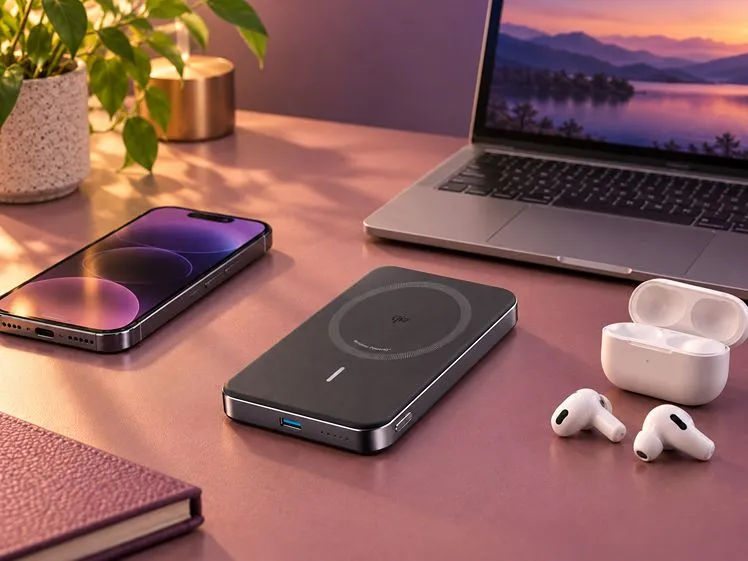
Quick Answer: How Does Power Bank Port Sharing Affect Charging?
Power bank port sharing divides available output among connected devices within the limits of each port and the active port combination. The split is not necessarily equal. Adding a device can lower some ports’ limits while leaving others unchanged. Check the distribution chart for your chosen combination: more ports do not guarantee maximum charging speed for every device.
Understand the Limits Behind Power Bank Port Sharing
First identify the output limits for your chosen connections, then check how the power bank distributes that output.
Read the Port Chart: Single-Port and Combined Output Limits
Open the specification sheet for your power bank and find its output distribution table. The largest advertised wattage does not describe every port’s simultaneous output.
Read these entries separately:
- Single-port maximum: The highest output the port supports when used alone under the documented conditions.
- Combined output: The total maximum for the specific combination of active ports.
- Shared group limit: A common power budget that applies to a subset of ports.
For illustration only, a chart might allow 65 W on one port and 35 W on another simultaneously: up to 100 W combined. These are hypothetical limits, not measured outputs or specifications for a particular product.
Also distinguish input from output. An input rating describes recharging the bank, not the power available to connected equipment.
Fixed and Dynamic Allocation: How the Available Power Is Divided
Fixed allocation sets defined limits for a particular port combination. Dynamic allocation changes the available power as connections or demand change. Some power banks use both: one port has a defined allowance while others share a separate budget. Unused power cannot necessarily transfer freely between ports.
Available output is not the same as actual power drawn. Battery level, temperature, activity, and charging compatibility can cause a device to draw less than its port allows. Disconnecting another device increases charging power only if the new allowance is higher and the remaining device can use it.
Plan Your Connections and Resolve Charging Problems
Use the limits above to plan your connections. If charging remains slow, compare individual and shared operation to identify the cause.
Check Each Device’s Power, Protocol, and Cable Requirements
List the equipment you intend to charge and check its documented requirements. Confirm the following for each device:
- Power requirements: Check the recommended supply and any minimum requirement for charging during use.
- Charging protocol: Match the device’s supported standard at both ends. Examples include USB Power Delivery and its Programmable Power Supply feature; other devices may require different protocols.
- Cable capability: Use the cable type and current rating required for the intended charging mode. Remove unnecessary adapters.
- Port direction: Verify that the selected connection supplies output rather than accepting input only.
A laptop may gain charge while idle yet drain its battery during demanding work if the available input cannot cover its operating consumption. Test with your usual workload.
Build a Port Plan for Your Device Combination
Choose ports by their documented output in the complete setup. USB-C1 does not universally have the highest output or priority. Confirm that the intended combination is supported before connecting equipment.
Use this planning sequence:
- Prioritise the device with the highest power demand: Choose a port that retains adequate output when the remaining ports are active.
- Connect the remaining devices: Check their individual limits and any shared group allowance.
- Test your normal workload: Observe whether each device gains charge during its intended use.
A simple planning table keeps the checks organised:
| Device | Port selection | Main check |
| Laptop | Suitable high-output port | Adequate power during use |
| Phone | Compatible remaining output | Supported fast-charging profile |
| Earbuds | Supported accessory output | Supported low-current charging |
If the arrangement cannot meet your priorities, charge less urgent devices separately. When comparing alternatives, use the same device plan to assess Anker’s Power Bank range against the simultaneous output you need, rather than choosing by port count alone.
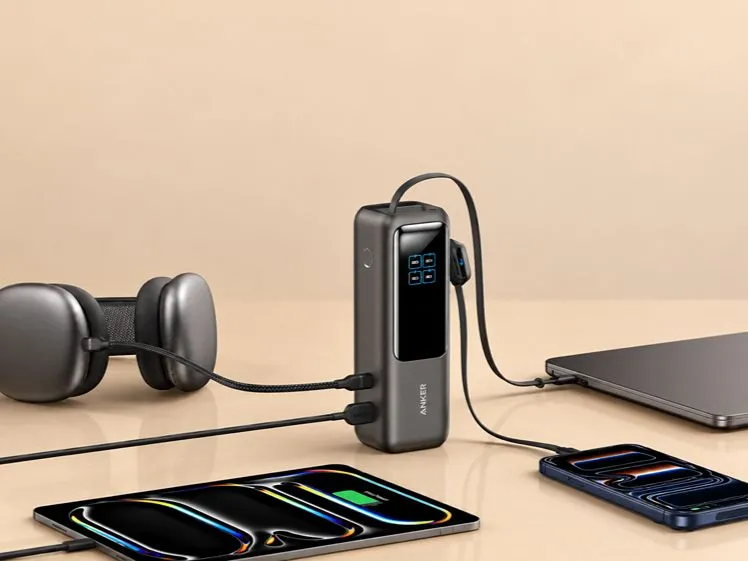
Isolate Slow Charging or Repeated Disconnections
Keep the devices’ starting charge levels, temperatures, and activity similar during testing. Check the power bank’s charge level against any documented conditions for maximum output.
Follow these checks:
- Test individually: Confirm that each device charges reliably with its chosen cable.
- Add devices one at a time: Identify which addition changes charging performance.
- Check the chart: Compare that combination with its documented allocation.
- Swap the cable: Try a known-working cable rated for the intended charging mode.
- Test without pass-through charging: Disconnect the power bank’s charger to check whether simultaneous input changes its output.
Some designs briefly pause charging when connections change and power is renegotiated. Check the manual before treating this as expected behaviour. Repeated disconnections with an unchanged setup warrant further investigation.
Keep the bank ventilated and stop using damaged cables. If one port remains unreliable with suitable devices and cables connected individually, contact support and describe the tests you performed.
Conclusion
Effective power bank port sharing starts with a connection plan that fits your devices’ needs and the documented output limits. Check the whole combination, including shared port groups, rather than relying on individual ratings.
Use single-device testing to distinguish expected sharing limits from a fault. If the setup lacks sufficient compatible output, charge less urgent devices separately or choose a more suitable power bank.
FAQ
Does a Higher mAh Rating Increase Shared Output Power?
No. Milliamp-hours describe charge capacity, not output power. Compare watt-hours when assessing stored energy across different voltages. Simultaneous charging capability follows port ratings, charging compatibility, and allocation rules; greater capacity alone does not increase shared output.
Can I Charge Multiple Devices While Recharging the Power Bank?
Only if the power bank supports the intended pass-through setup. Its input requirements and output limits may differ from battery-only operation. Check the supported charger, ports, and device combinations instead of assuming ordinary output ratings still apply.

