

Introduction
In video production, color grading plays a crucial role in setting the mood, enhancing visuals, and bringing out the best in your footage. Whether you’re creating a cinematic masterpiece or a quick social media video, an efficient AI video color corrector ensures that your visuals are not only accurate but also aesthetically engaging.
But how to color grade videos properly? This article presents the five best AI color grading software options to give your videos a compelling look with minimal effort.
Part 1: What is Color Grading?
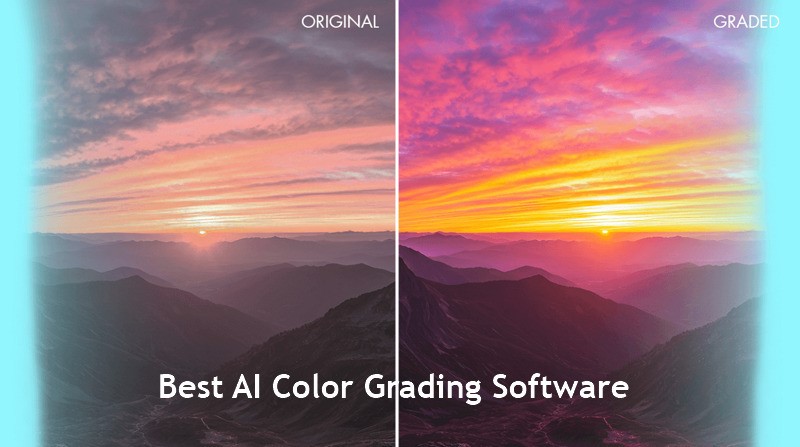
Color grading refers to adjusting the color, contrast, and brightness of your video to create a specific mood, style, or visual consistency. It gives a film its unique look, from the teal-orange Hollywood vibe to warm nostalgic tones. The key grading elements include hue, saturation, brightness, contrast, gamma, color balance, and white balance.
Many beginners confuse it with color correction. While a video color corrector ensures natural colors to make your footage look real, color grading is about making it stunning with creativity and storytelling.
Part 2: Top 5 AI Video Colour Grading Software You Must Try
With the right software, your videos can achieve vibrancy and clarity. Let’s explore the five best AI color grading software, each with its price, compatibility, and ideal users, along with the usage guide:
1. HitPaw VikPea
Compatibility: Windows, Mac, Online
Price: Free trial
Best for: AI-enhanced, fast color grading
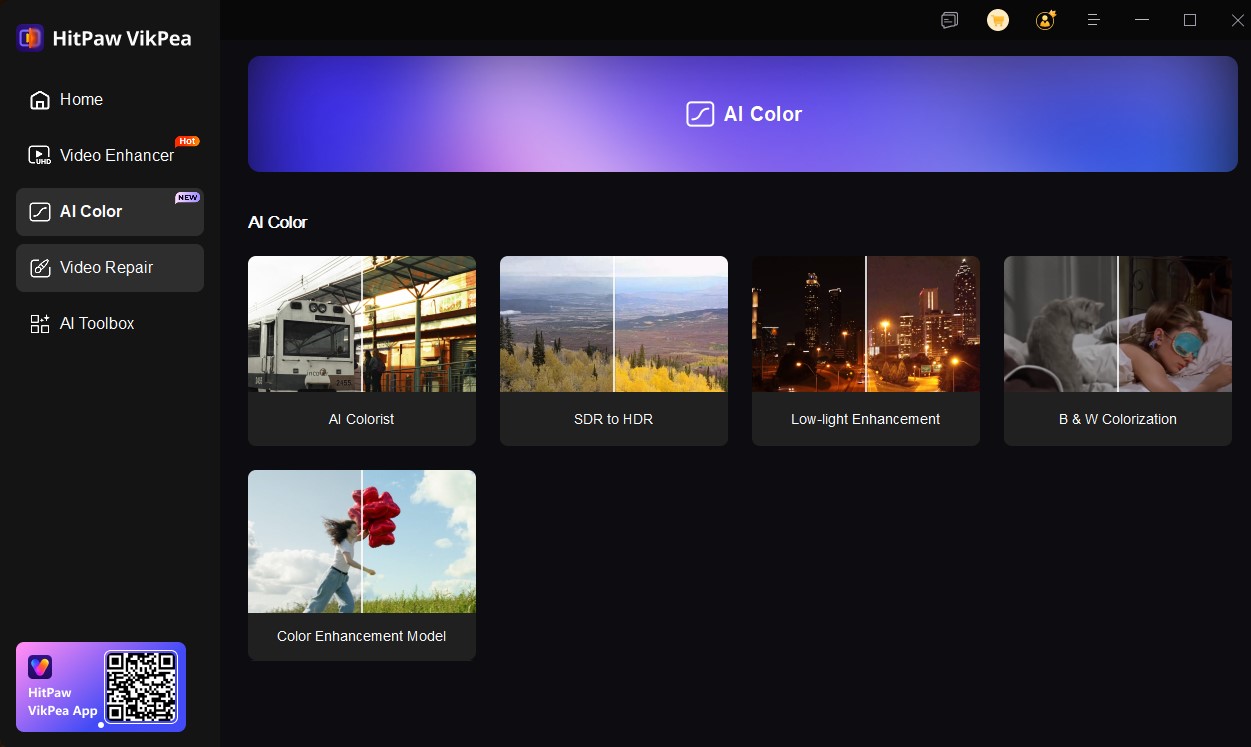
HitPaw VikPea is a versatile video enhancement software that enables users to color grade their videos naturally. Its AI Color module includes Color Enhancement Model designed to improve contrast, saturation, and vibrancy while preserving natural tones. You can also transform SDR to HDR, revive low-light shots, and colorize black and white videos. Supporting up to 4K resolution, it automatically analyzes each frame of the video and adjusts colors with a single click, reducing the time and expertise required to achieve a professional finish.
Main Features:
- Offer smooth grading for both beginners & professionals
- Boost color vibrancy without oversaturation or distortion
- Help enhance details in underexposed or blurry footage
- Support noise reduction and repair of damaged videos
- Apply AI color enhancement to multiple videos at once
How to Color Grading Video using HitPaw VikPea:
Step 1. After downloading, installing, and launching this program, click “AI Color” from the side column and choose “Color Enhancement Model.”
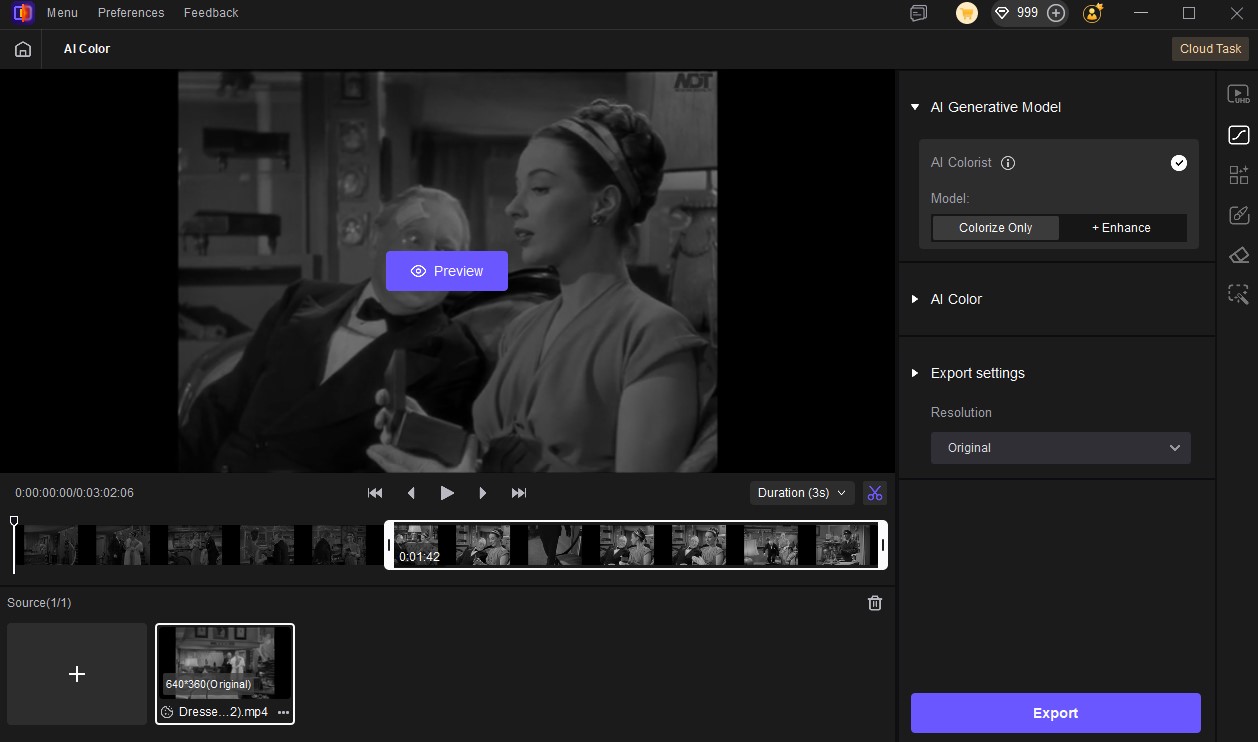
Step 2. Now, import the video you want to color grade. You can customize the output resolution, bit rate, format, and other settings. Then, press the “Preview” tab.
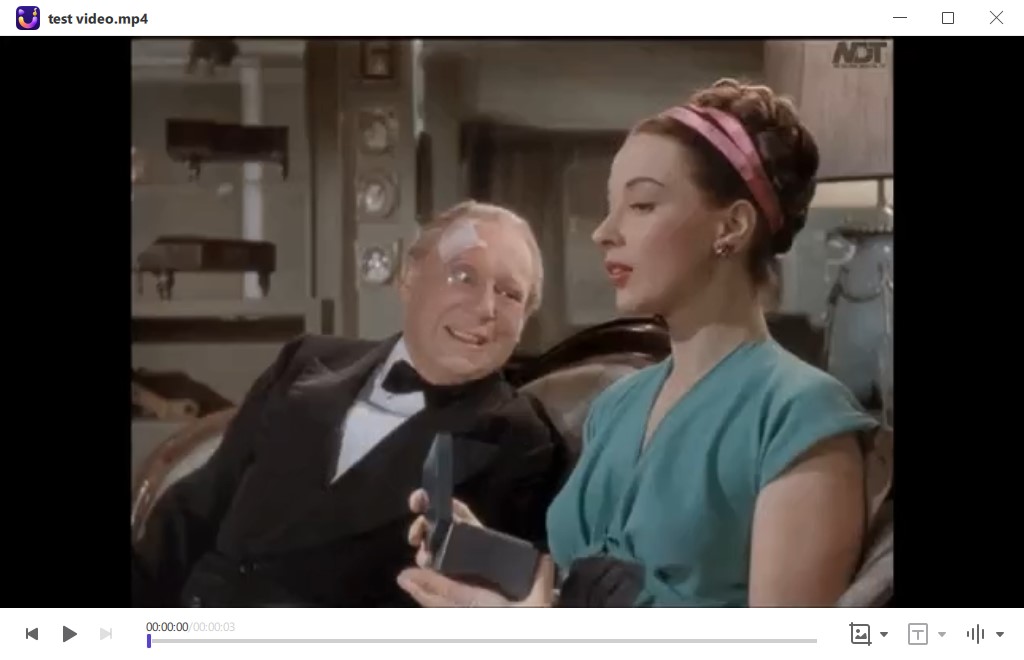
Step 3. It will display the side-by-side comparison of the original and enhanced video. If you’re satisfied with the results, hit “Export” to start processing the entire video.
Pros:
- Support for major video file formats
- Save time with AI-powered automation
- Color correction, grading, and enhancement in one space
Cons:
- Limited manual editing options
- Advanced features require a paid subscription
2. DaVinci Resolve
Compatibility: Windows, Mac, Linux
Price: Free, $295 for Studio version
Best for: Professional-level color grading
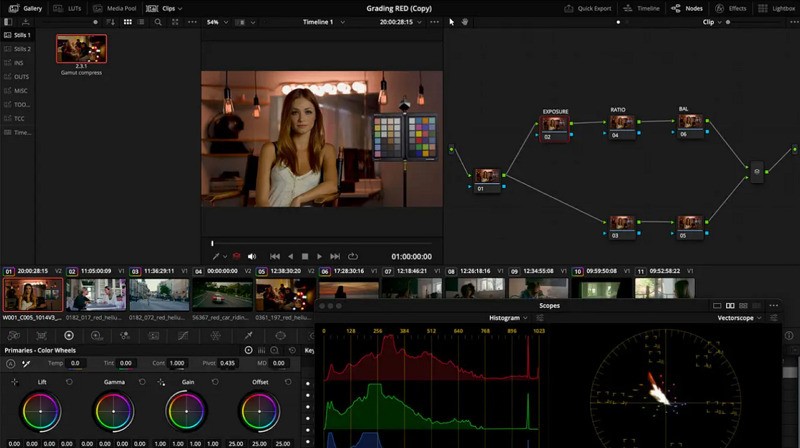
DaVinci Resolve is a professional color grading software that offers node-based grading, enabling users to control shadows, saturation, highlights, and midtones. It also has a face tracking capability to help isolate any specific facial features for targeted color adjustments. It even offers multi-user collaboration tools, automatic balancing effects, and various FX plugins to enhance your color grading experience.
How to Use:
- Launch this software, import your footage, and switch to the “Color” workspace.
- Now, you can try nodes to apply primary and secondary corrections.
- Lastly, adjust the wheels, curves, and color ranges, and export in the desired format.
Pros:
- Support HDR and RAW formats
- Complete control over color grading
- Strong community and learning resources
Cons:
- Require a powerful system
- Steep learning curve for beginners
3. Adobe Premiere Pro
Compatibility: Windows, Mac
Price: Free trial, $22.99/month
Best for: Integrated editing workflows
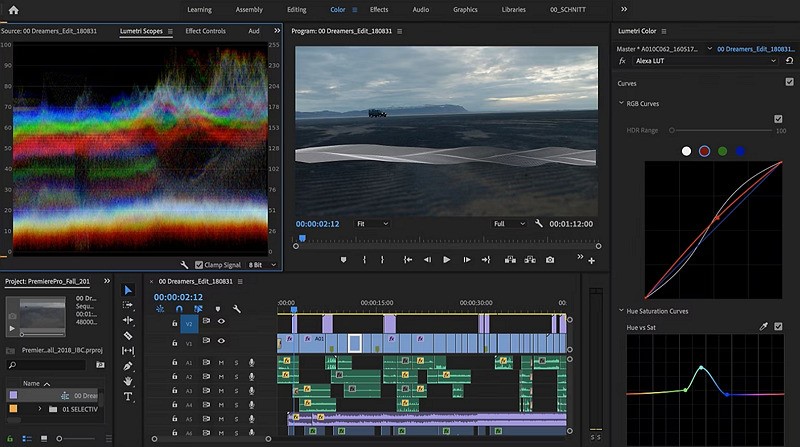
Adobe Premiere Pro features the Lumetri Color panel, making it the best AI color grading software for professional editors. Along with support for quick stylization grading with LUTs, it enables users to precisely adjust contrast, exposure, saturation, and color balance. It also supports editing across multiple programs due to its seamless integration with Creative Cloud, Photoshop, Media Encoder, and more.
How to Use:
- After importing your video into the program, open the Lumetri Color panel.
- You can adjust exposure, highlights, and saturation manually, or apply LTUs.
- Then, preview the edited video in real-time and export it when you are satisfied.
Pros:
- All-in-one editing and grading workflow
- Advanced editing functionalities
- Support high resolution up to 4K
Cons:
- Require an Adobe Creative Cloud subscription
- The interface may feel cluttered for beginners
4. iMovie
Compatibility: Mac
Price: Free
Best for: AI-assisted, built-in color grading
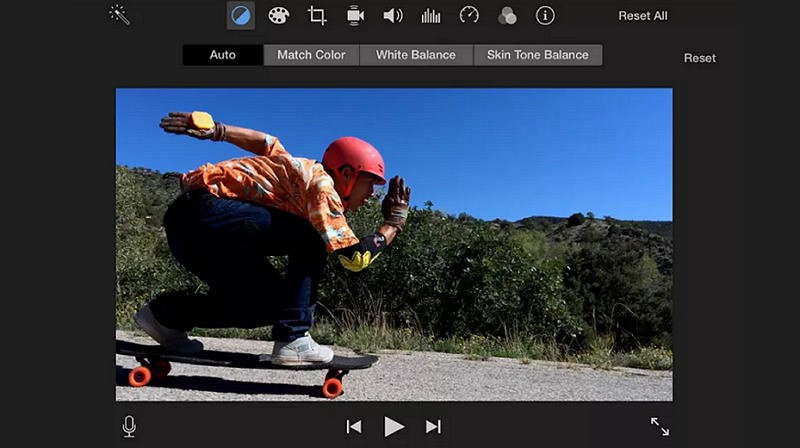
If you’re looking for free video colour correction software, iMovie is the ultimate solution. This built-in application streamlines the color grading process with features such as color correction, presets, and saturation adjustments. With an easy-to-use slider, users can adjust color, contrast, exposure, and brightness to enhance video quality without technical knowledge. It even offers seamless integration within the Apple ecosystem.
How to Use:
- Select any clip on the timeline in the iMovie app.
- Click the color balance icon to show controls and press “Auto.”
- You can tap the palette icon to manually adjust each option.
Pros:
- Simple and intuitive interface
- Offer useful presets for quick edits
- Help with content creation for social media
Cons:
- Limited color grading options
- Available only for iOS and macOS
5. LightWorks
Compatibility: Windows, Mac, Linux
Price: Free, $23.99/month
Best for: Beginner-friendly projects
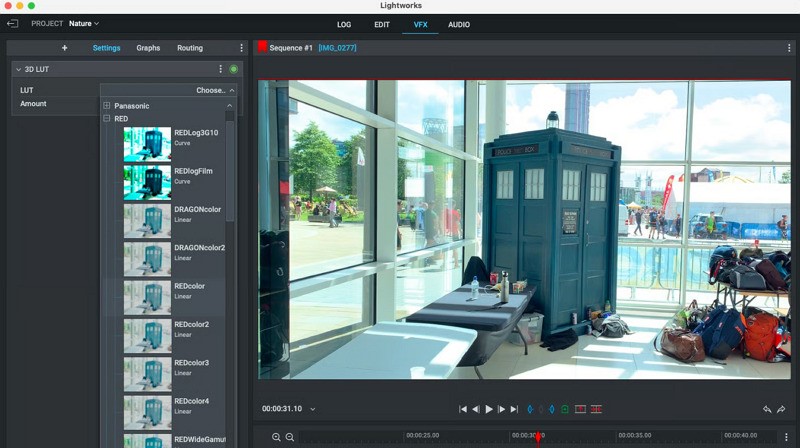
LightWorks is a professional grade video editor with powerful color correction capabilities. Along with support for selective correction, LUTs, and plugins, it allows users to access HSV color wheels, RGB graphs, and advanced contrast and gamma settings. So, they quickly improve the visual quality of their footage. It even offers fast rendering, real-time preview with timeline editing, and export to social platforms.
How to Use:
- Upload your footage and open the color grading panel.
- Now, adjust the saturation, brightness, color balance, etc.
- Lastly, you can apply LUTs for creative effects and export.
Pros:
- Easy to use and affordable
- Compatibility with different formats
- Support for batch processing
Cons:
- Limited AI automation
- Few updates and slow development
Part 3. Criteria for Selecting the Best Video Color Grading Tool
When selecting the best AI color grading software, it’s essential to consider the factors below:
- AI-Assisted Correction: Look for software that leverages AI to adjust colour, brightness, contrast, and tones automatically.
- Compatibility: Make sure the software is compatible with your OS and integrates seamlessly with your existing editing tools or video production workflow.
- Ease of Use: The software should be user-friendly and intuitive. It should allow beginners to achieve stunning results without any technical experience.
- Pricing: Many AI tools offer a free limited version and a paid version with advanced capabilities. Evaluate what best fits your needs and budget.
- Video Quality Enhancement: Pick a tool that enhances video quality, like upscaling low-resolution footage to give your videos a professional look.
- Batch Support: If you’re working on multiple clips or a long video project, batch processing support is crucial.
- Output Quality: The software should support high-quality exports, retaining the integrity of your footage without sacrificing resolution or colors.
Conclusion
AI-powered video color grading software has transformed how creators enhance their videos. Whether you’re a beginner exploring how to color grade or a photographer needing free video colour correction software, you can pick any tool according to your skill level and needs.
However, HitPaw VikPea is the best choice due to its AI-driven automation, clean interface, and other functionalities. Let’s try it today and achieve professional-level output!

