

Introduction
In recent years, the demand for 4K video content has increased significantly, driven by the popularity of 4K TVs and streaming services. However, not all devices can capture or handle Ultra HD resolution. Whether you are a content creator, filmmaker, or simply someone who loves watching movies in stunning detail, having a reliable 4K video converter is essential.
However, with numerous options available, finding the right software can be a daunting task. In this guide, you will explore 16 superb free and paid tools to convert video to 4K effortlessly.
Part 1: Top 16 4K Video Converter Tools for PC and Mac [Free & Paid]
Whether you’re looking for a beginner-friendly option or a more advanced tool, let’s explore the 16 best 4K resolution video converter options with their pros and cons:
1. HitPaw Univd
When it comes to the top-notch 4K video converters for Windows and Mac users, HitPaw Univd always comes to the top of the list.
This comprehensive AI solution is helpful for users seeking to convert video to 4K, 1080P, or 720P resolution while changing its format. You can adjust the encoder, frame rate, and other file parameters as well. With GPU hardware acceleration, the video conversion speed is 170 times faster than that of standard converters. It even allows you to convert multiple videos simultaneously, saving you time and effort.
Main Features:
- Simple drag-and-drop interface to add videos for conversion
- Help convert video files between 1000+ formats and codecs
- Customizable aspect ratios for various social media platforms
- Support video conversion while preserving details and colors
- Built-in editing features like merge, cut, crop, add effects, etc.
How to Convert Video to 4K using HitPaw Univd:
Step 1. Add Videos
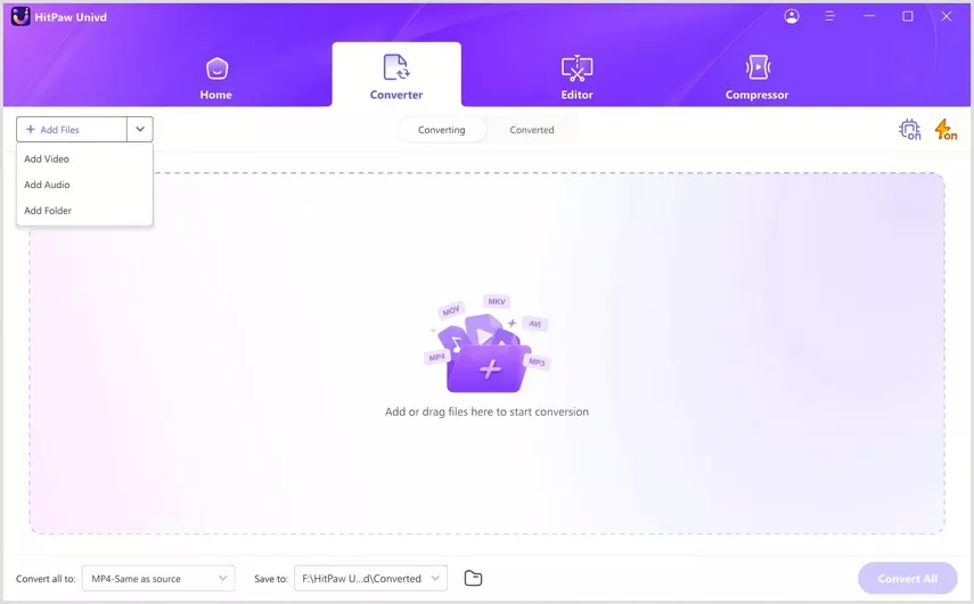
After installing and launching this software, choose “Converter” and click “Add Files” > “Add Video” to import the required files.
Step 2. Pick 4K Video Format
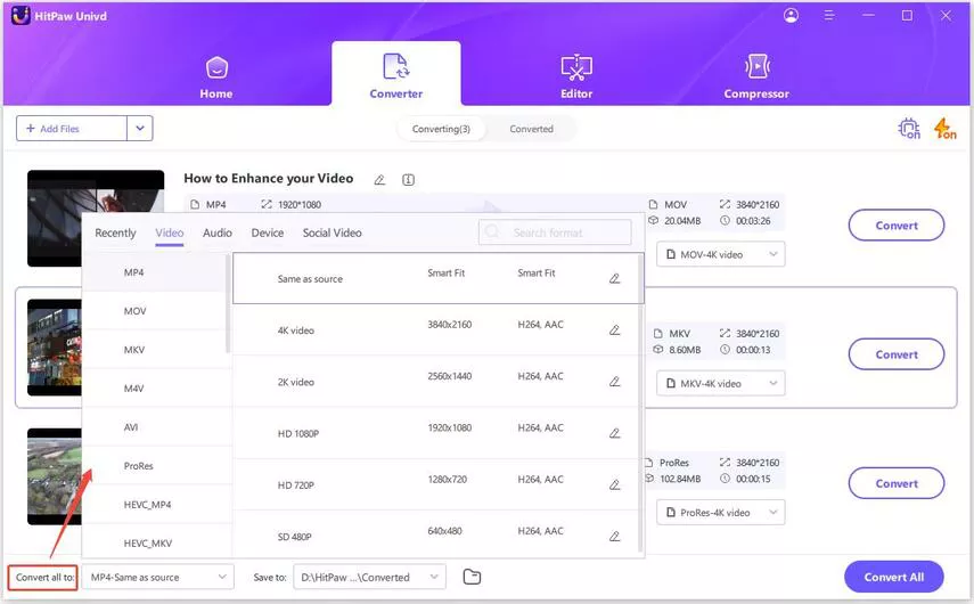
Now, open the “Convert all to” drop-down menu, choose any “Video” format, and press the small pen icon in front of “4K video.” You can change the parameters as needed.
Step 3. Start Conversion
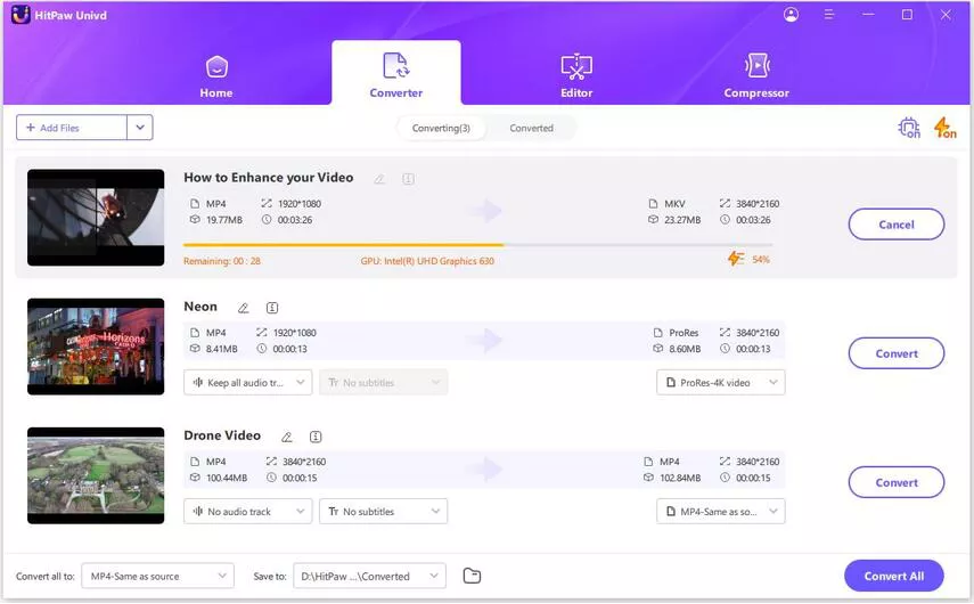
Lastly, enable ultrafast conversion and tap the “Convert” or “Convert All” tab. Once processed, you can access output files from the “Converted” section. That’s it!
2. Handbrake
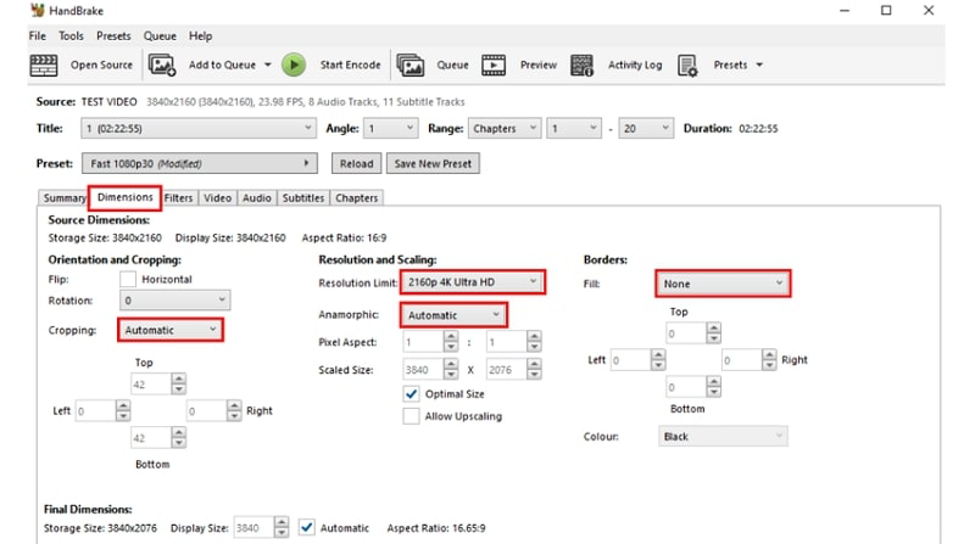
Handbrake is an open-source 4K video converter free tool that can convert 4K footage to popular file formats, i.e., MP4 and MKV. It offers built-in 4K presets for devices such as Roku, Chromecast, and Apple TV 4K. You can also reduce the size if needed, without compromising video quality.
Pros:
- Batch conversion
- High customization
- Advanced editing tools
Cons:
- Steep learning curve for beginners
3. VLC Media Player
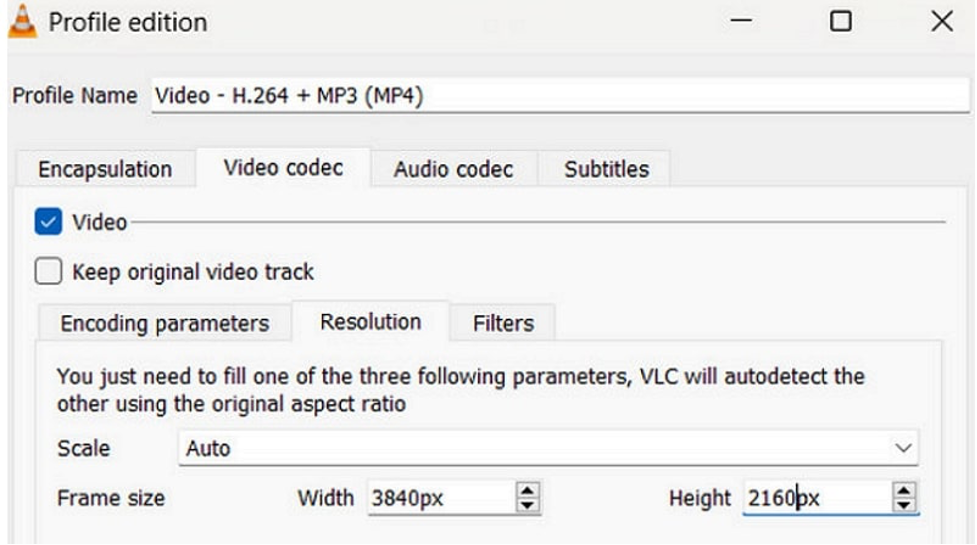
Although VLC is known for playing media files without requiring additional codecs, it also functions as a 4K video converter free tool. With a simple interface, it can help convert 4K or 8K videos to MP4, WMV, MKV, MOV, AVI, RAW, and other formats, while downgrading the resolution to HD or other options.
Pros:
- Free and open-source
- Customizable settings
- Video/audio download option
Cons:
- Lack of editing tools
4. Any Video Converter
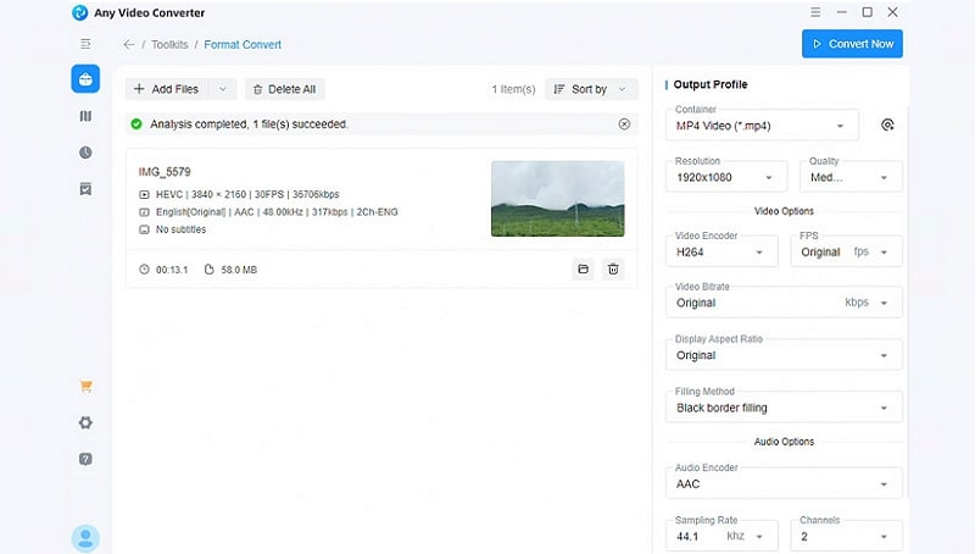
Any Video Converter is an excellent 4K resolution video converter for beginners, capable of upscaling to 4K resolution or downscaling to 1080P/720P for smooth playback on older devices. With support for over 140 input and 160 output formats, it also lets you adjust the frame rate and other parameters.
Pros:
- Easy to use
- Batch processing
- DVD burning and video editing
Cons:
- Extra software installation during setup
5. VideoProc Converter
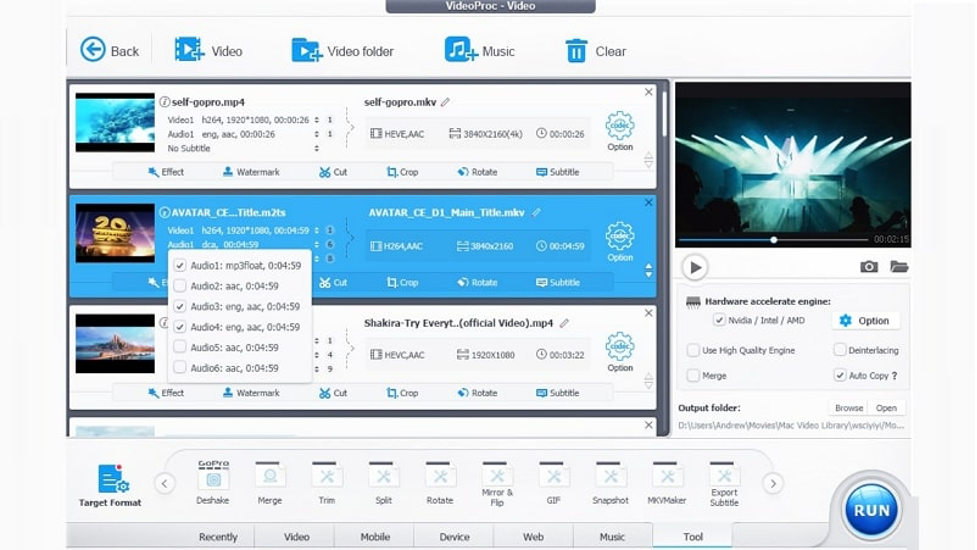
VideoProc Converter is a comprehensive 4K resolution video converter and editor that supports upscaling videos up to 4X with Super Resolution. It helps you convert 4K, HD, and SD videos to any format, resolution, or codec with ease. You can also enjoy its advanced functionalities, such as AI-powered enhancements and video recording.
Pros:
- Batch conversion
- High-speed processing
- Handle 4K, even in HDR, HEVC, or 10 bits
Cons:
- Limited functionality in the free version
6. Topaz Video AI
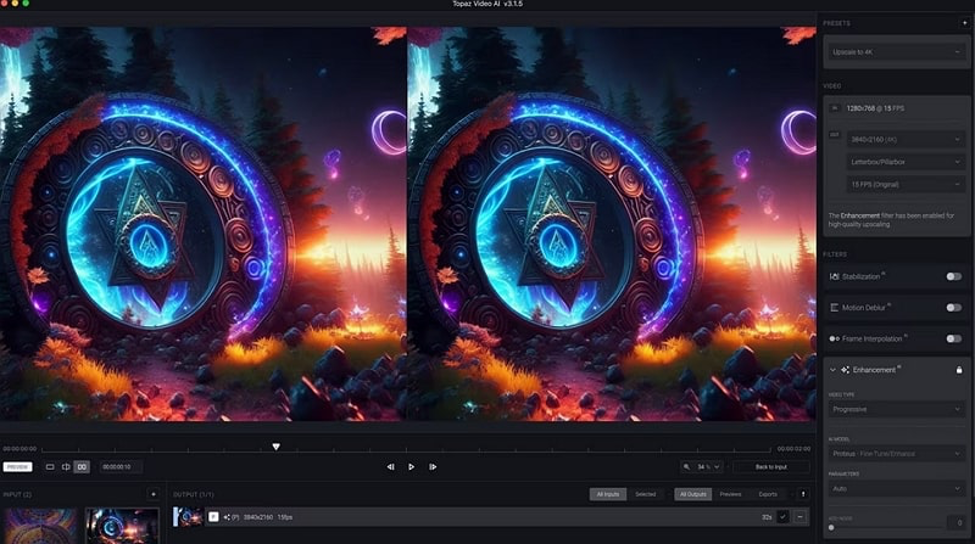
Topaz Video AI is a renowned 4K video converter that uses advanced technology to effortlessly upscale videos up to 8K resolution. You can also convert from 24 FPS to 60 FPS and 120 FPS. It even offers AI-powered video enhancement features to fix compression, artefacts, and shake stabilization.
Pros:
- Support multiple video formats
- Customizable export settings
- Enhance details during conversion
Cons:
- Slow conversion process
7. FFMPEG
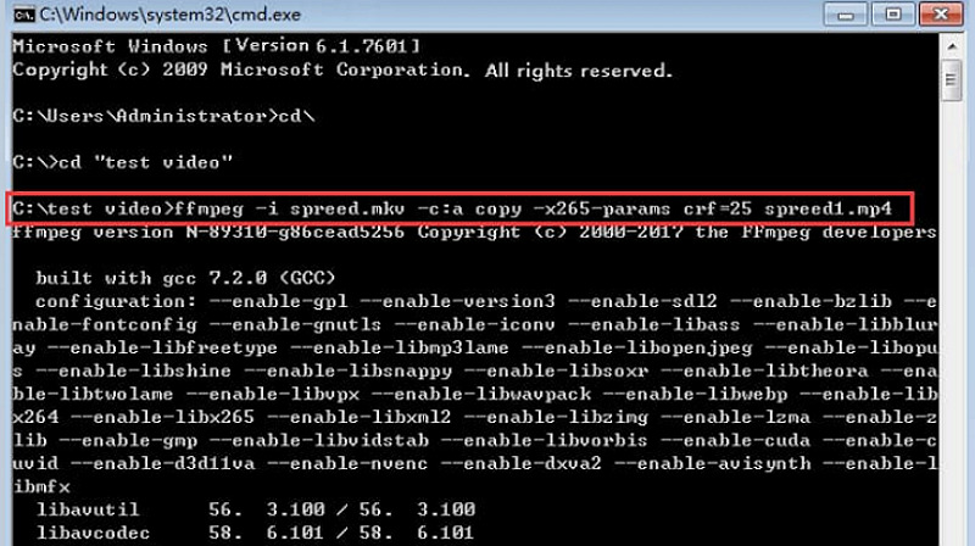
FFMPEG is a command-line 4K video resolution converter with extensive format support and speedy conversion. It is skilled in various media-related tasks, including video compression and recording. Primarily used by tech-savvy users and professionals, it provides flexibility in demuxing, decoding, encoding, and other editing functionalities.
Pros:
- Open-source and completely free
- Highly customizable settings
- Support video scaling and filtering
Cons:
- Really difficult for beginners
8. DivX Converter
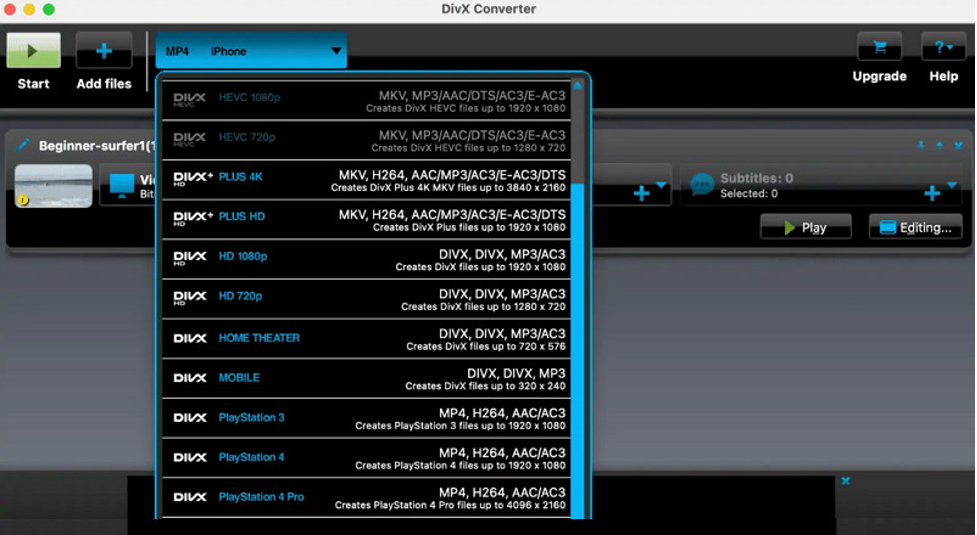
DivX Converter is an award-winning basic video conversion software that enables you to convert video to 4K resolution. You can convert videos in DivX, HEVC, MKV, and AVI formats to 4K or large Ultra HD videos to smaller sizes without quality loss and at a fast conversion speed.
Pros:
- High-quality output
- Custom profiles and settings
- Cloud storage and DVD backup
Cons:
- Display ads in the free plan
9. Pavtube Video Converter Ultimate
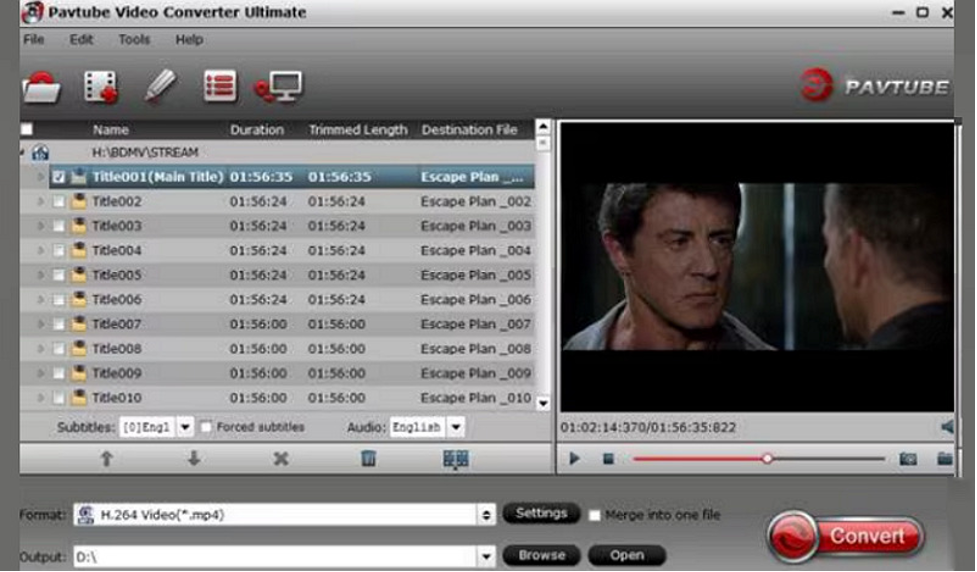
Pavtube offers a professional-grade 4K video resolution converter for both Windows and Mac users. It is perfect for converting 4K, HD, and H.264 video files in various formats, including AVI, WMV, and more. You can also convert videos to a YouTube-friendly format for faster uploading.
Pros:
- 6X faster conversion speed
- Image and audio processing
- Video enhancement and editing tools
Cons:
- Expensive for the full version
10. Acrok Video Converter Ultimate
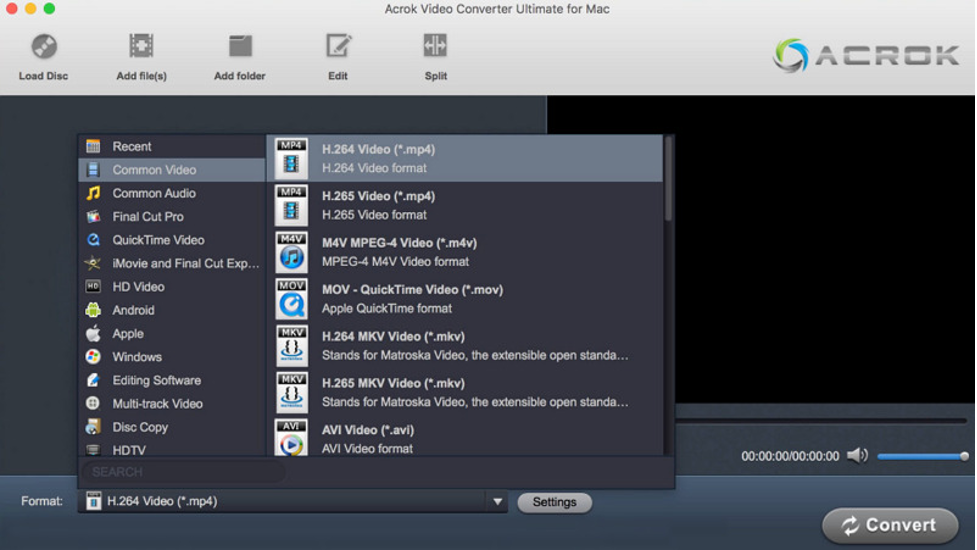
Acrok Video Converter Ultimate is a reliable 4K video converter that can handle your conversion needs while handling UHD video files. It is really simple to use; you only need to import any video, select the preferred output format, adjust frame rate and quality, and start conversion.
Pros:
- Batch conversion
- Convert videos into 3D
- Support Apple ProRes and other encoders
Cons:
- Limited free plan
11. MacX Video Converter Pro
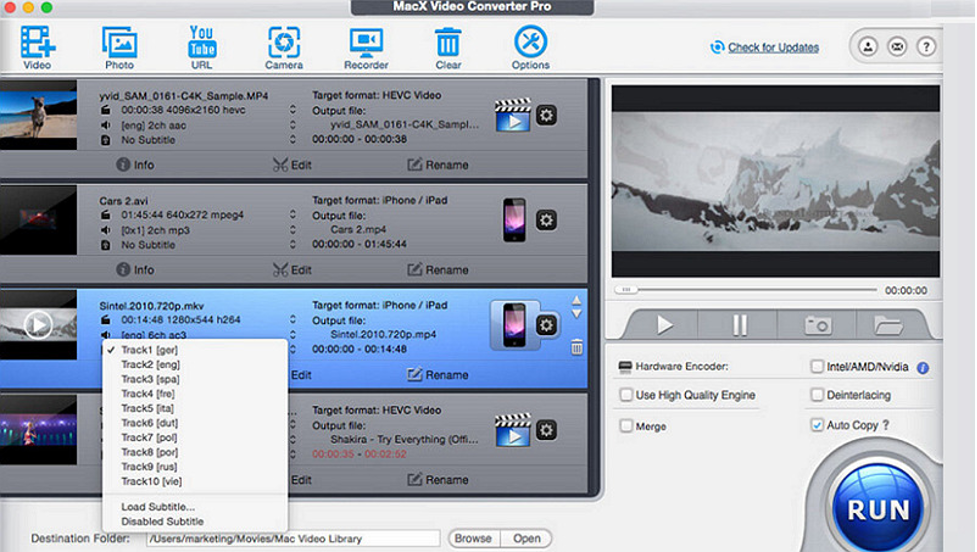
MacX Video Converter Pro is a premium tool for Mac users, offering comprehensive 4K resolution video conversion, downloading, and editing. You can convert SD and HD videos to 4K with adjustable setting options. With a fast conversion speed, it also delivers high-quality video output.
Pros:
- Process multiple videos at once
- Deinterlacing and merging features
- Presets for iPhone, Galaxy, and other devices
Cons:
- Lack of advanced editing functions
12. WinX HD Video Converter Deluxe
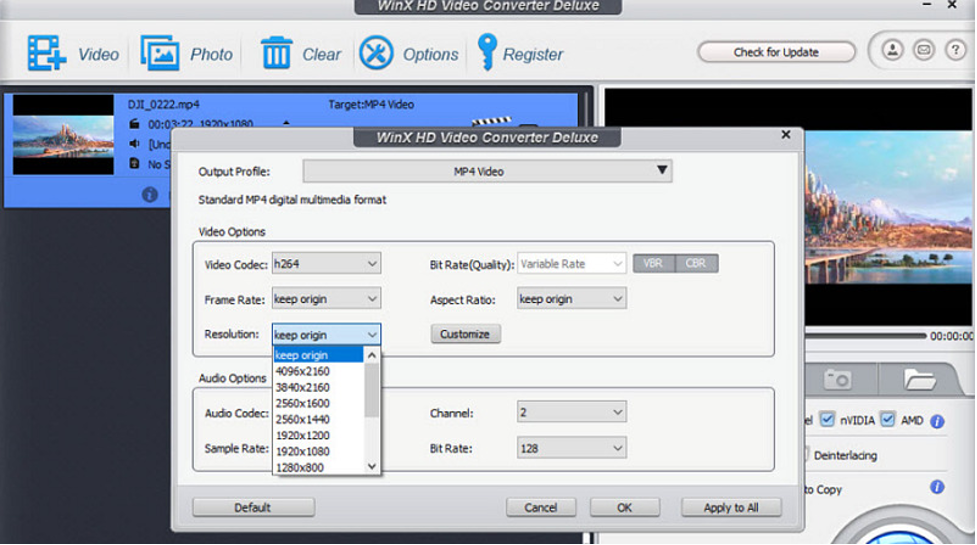
WinX HD Video Converter is a reliable 4K video converter free tool that supports numerous file formats. It can convert 4K UHD, HDTV camcorders, Blu-ray, MPEG-TS, BDAV, and QT videos. It also comes with multiple device presets, including iPad, iPhone, Apple TV, iTunes, Android, and Samsung.
Pros:
- Built-in deinterlacing engine
- GPU acceleration for faster conversion
- Allow adding subtitles, merging, etc.
Cons:
- Up to 5 minutes of video conversion for free
13. EaseFab Video Converter
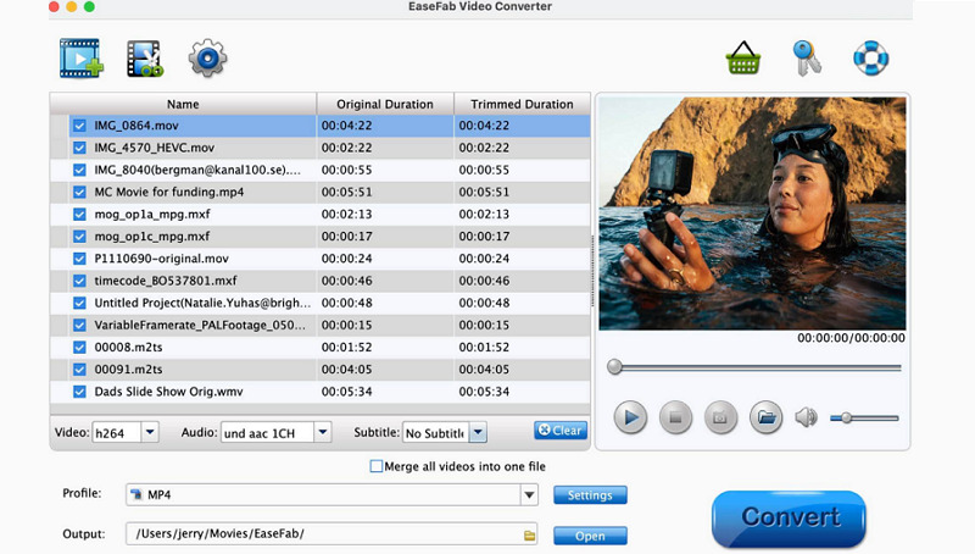
EaseFab Video Converter is a user-friendly tool that enables 4K video conversion on both Windows and Mac, offering excellent speed and quality. It helps you convert 4K videos to HD, 720P, and even SD format. You can also convert videos for various programs, such as iMovie and ProRes.
Pros:
- Simple and affordable
- Speedy installation
- Trim, crop, and add watermarks
Cons:
- Limited in terms of editing tools
14. FVC Free 4k Converter
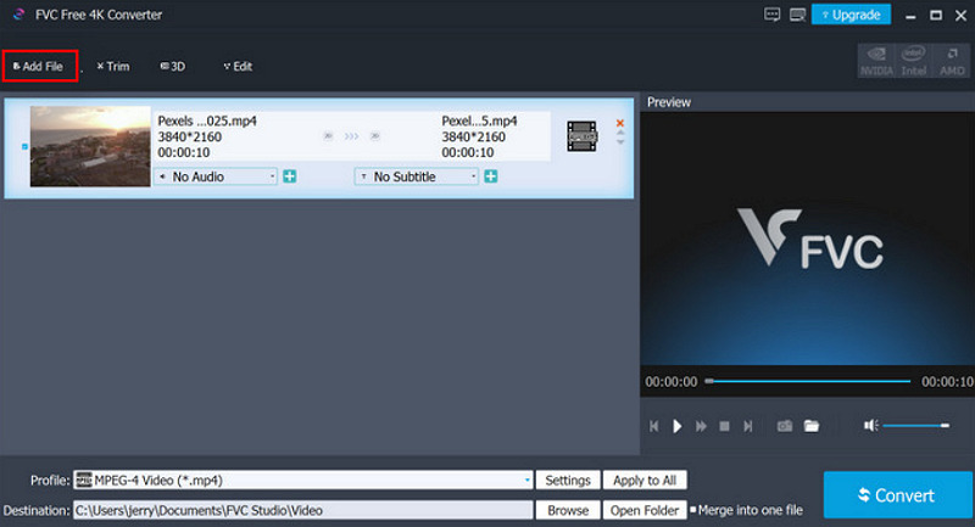
As the name implies, FVC offers a straightforward 4K video converter free software that provides high-quality conversions. It can convert 4K videos from HD and SD resolutions to match your preferences and needs. You can also enjoy superfast conversion speed and batch processing.
Pros:
- Convert 4K video to popular formats
- Take snapshots from 4K movies
- Preview in real-time
Cons:
- Lack of advanced features
15. AnyMP4 Video Converter
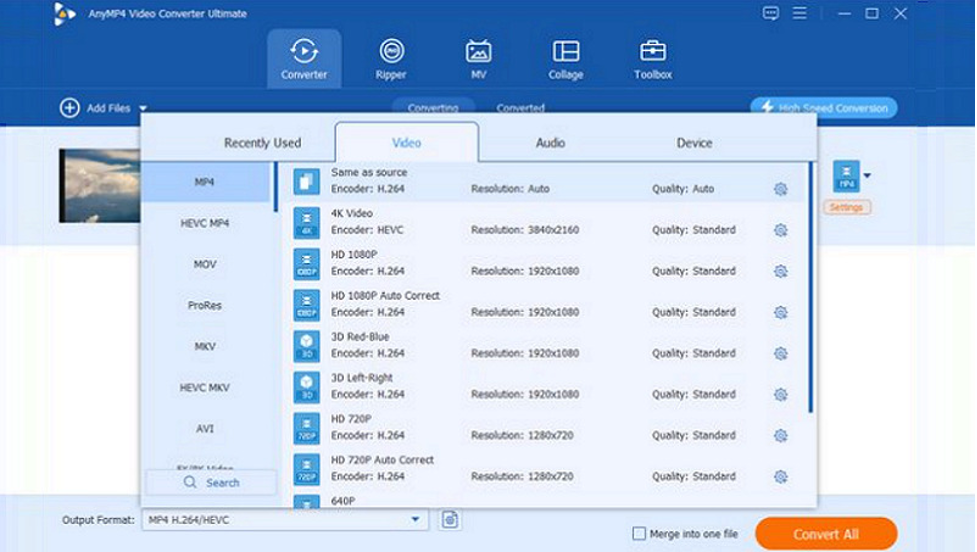
AnyMP4 Video Converter is another excellent software that allows you to convert 4K, HD, and SD videos to MP4, MKV, WMV, and even 3D videos. You can use the latest profiles for 4K HEVC, H.264, and WebM videos. It also supports exporting low-quality videos to 4K resolution.
Pros:
- Support over 200 video formats
- One-click video enhancement
- Rotate, flip, trim, apply effects, etc.
Cons:
- Occasional software crashing
16. Movavi Video Converter
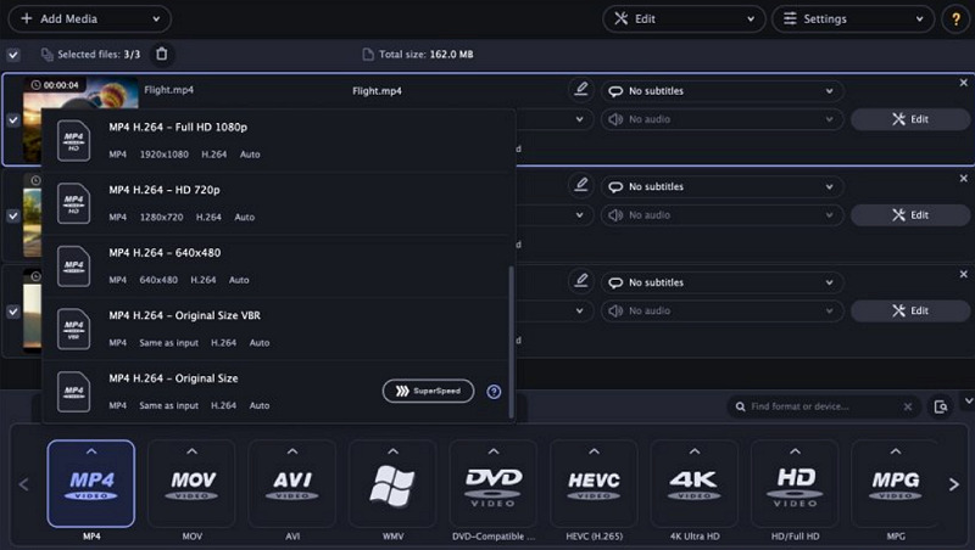
Movavi Video Converter is a user-friendly software with top-notch video conversion and editing capabilities. It supports converting 4K and 8K resolution videos to all popular media formats, offering a good balance of features and speed. You can also convert multiple 4K videos at once.
Pros:
- Simple and beginner-friendly
- SuperSpeed mode
- Built-in editing and AI upscaling
Cons:
- Leave a watermark in the free trial
Part 2: How to Choose a 4K Resolution Video Converter?
When choosing the best 4K video converter, consider the factors below to make an informed choice:
- Ease of Use: Choose a converter with a user-friendly interface, especially if you’re a beginner.
- Supported Formats: Ensure the software supports the video formats you frequently use.
- Conversion Speed: Look for a tool that offers fast conversion times without compromising on quality.
- Editing Features: Some converters that provide editing tools, such as trimming, cropping, and enhancement, are a plus.
- Cost: Consider whether you need a free tool or a paid version with additional features and high efficiency.
Conclusion
This post has provided numerous 4K video converter options that make conversion easier than ever. Whether you’re looking for a free or a paid tool, you can pick whichever suits your needs. However, HitPaw Univd is the most recommended due to its user-friendly interface, high-speed processing, and powerful features. Try it out today and elevate your video conversion experience to the next level!

