

A messy desktop can slow you down. It makes finding stuff hard. It can stress you out. But don’t worry! iTop Easy Desktop is a easy-to-use but powerful desktop organizer that can fixe this issue in seconds. It keeps your Windows desktop neat and helps you work better. Here are seven easy tips for tidying up your desktop using iTop Easy Desktop. Let’s get started!

Why a Messy Desktop Is Bad for Work?
A cluttered desktop isn’t just ugly. It pulls your focus away. Finding files takes longer. Experts say mess can make you less productive. It can even make you feel anxious. A clean desktop, though, helps you work faster. You find things quickly and stay calm. iTop Easy Desktop makes this simple. It sorts your files, folders, and apps neatly. Now, let’s check out the tips.
Why Pick iTop Easy Desktop?
iTop Easy Desktop, developed by iTop, is a great choice. It’s free, with a plent of useful tools. The design is clean and easy to use. Features like Private Box and fast search make it special. People love it. One user said, “My desktop was a disaster, but now it’s so easy to find stuff.” Another liked the wallpapers for making work fun. These comments show it really works.
How to Start Using iTop Easy Desktop?
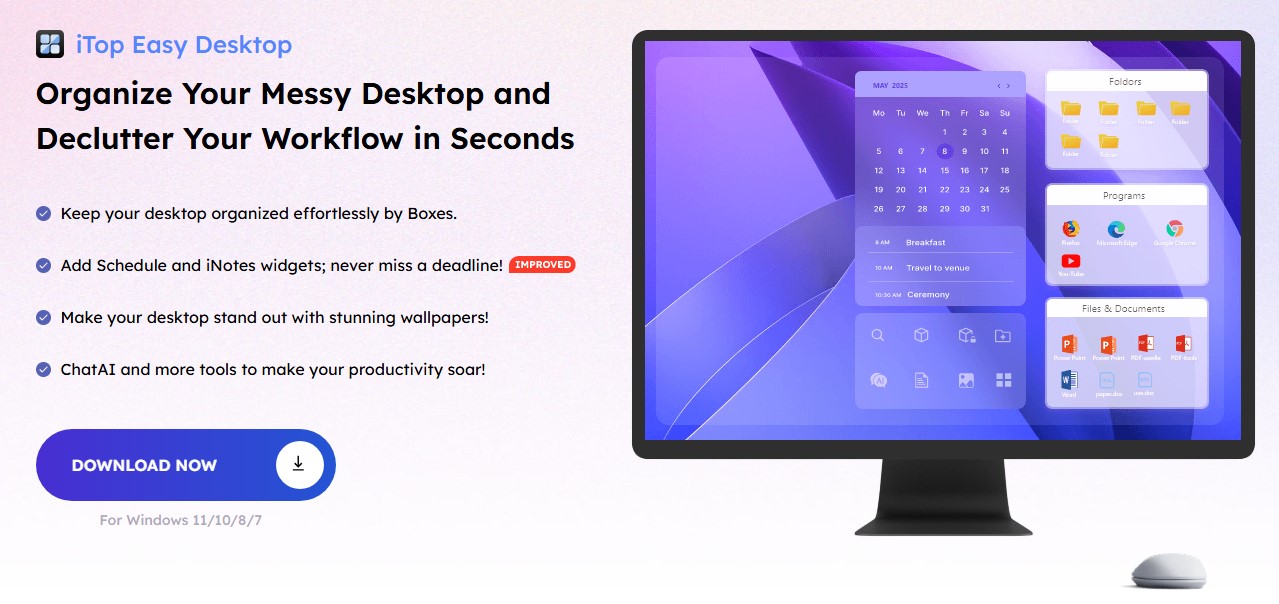
Want to try it? It’s super easy. Go to the iTop Easy Desktop website. Click “Download Now.” The file is small and installs fast. Follow the steps to set it up. Then, use “Quick Start” to sort your desktop right away. Or tweak boxes and settings to match your needs. You can sign in with Google for extra features. Even new users find it simple to use.
7 Ways to Boost Your Productivity with iTop Easy Desktop
Tip 1: Sort Files Fast with Auto-Organize
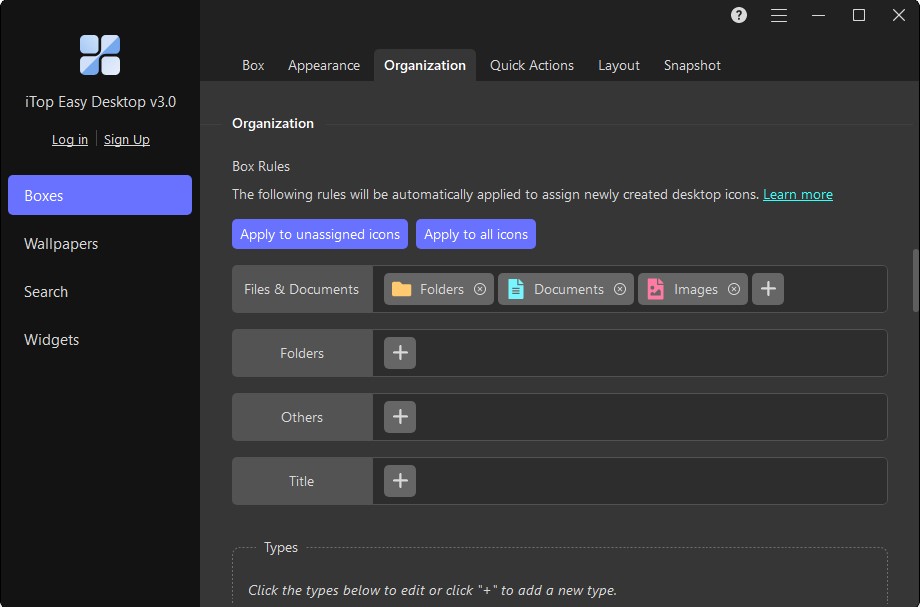
iTop Easy Desktop has a cool auto-organize tool. It puts your files and apps into tidy groups. You don’t have to do it yourself. Just open the app and click “Quick Start.” It sorts things like documents or apps into boxes. For example, all your PDFs can go in one spot. You can change how it sorts to fit your style. This makes your desktop clean in no time.
Tip 2: Make Your Boxes for Easy Access
Boxes are like folders on your desktop. They’re a big part of iTop Easy Desktop. You can make boxes for specific things, like a “Work” box for job stuff or a “Fun” box for games. To make one, right-click your desktop and pick “New Box.” Give it a name and drag files in. You can move or resize boxes however you want. This keeps related things together and makes your desktop look nice.
Tip 3: Hide Icons for a Clear View
Sometimes, you want a clean desktop. iTop Easy Desktop lets you hide everything with two clicks. Double-click an empty spot, and all icons vanish. Double-click again to bring them back. This is great for focusing or showing your screen to others. It cuts out distractions. You can also set a keyboard shortcut to hide stuff fast. Your desktop stays clean and professional.
Tip 4: Keep Private Files Safe
Some files need protection. iTop Easy Desktop has a Private Box feature. You can lock important files, like work documents or personal photos, with a password. Just make a Private Box, add your files, and set a password. This keeps nosy people out. It’s perfect if others use your computer. Your files stay safe, and your desktop stays organized.
Tip 5: Find Files Quickly with Search
Digging through a messy desktop wastes time. iTop Easy Desktop has a fast search tool. Type a few letters of a file’s name, and it pops up right away. It’s quicker than Windows’ built-in search. This helps you get to work faster. You can also set a shortcut key to open the search instantly. No more hunting for files!
Tip 6: Make Your Desktop Look Fun
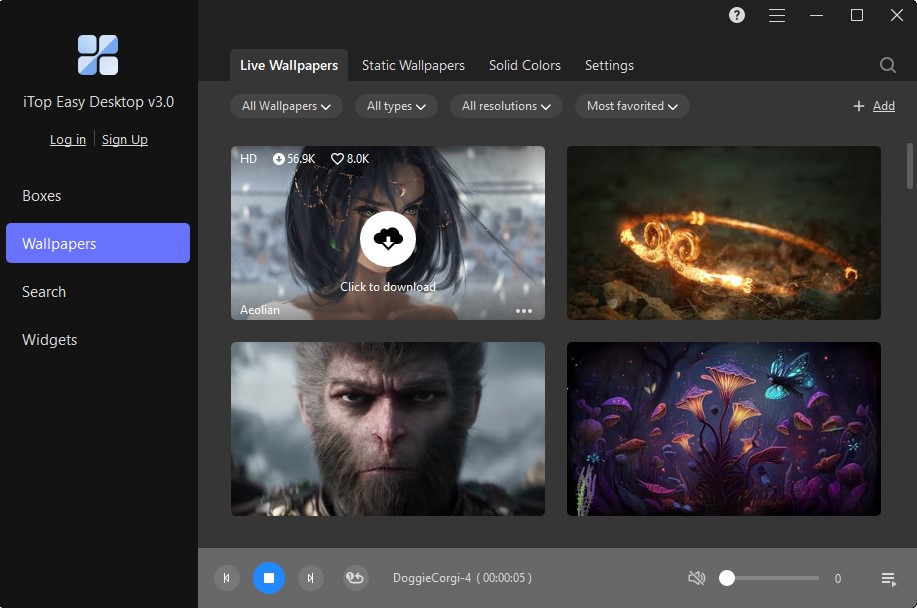
A dull desktop can feel boring. With iTop Easy Desktop, you can make it look great. Change the colours or style of your boxes. Like bright colours? Pick bold ones. Want it simple? Choose soft tones. The app also has cool wallpapers, like nature or city scenes. You can even use your pictures. A fun desktop keeps you motivated and happy while working.
Tip 7: Add Handy Tools with Widgets
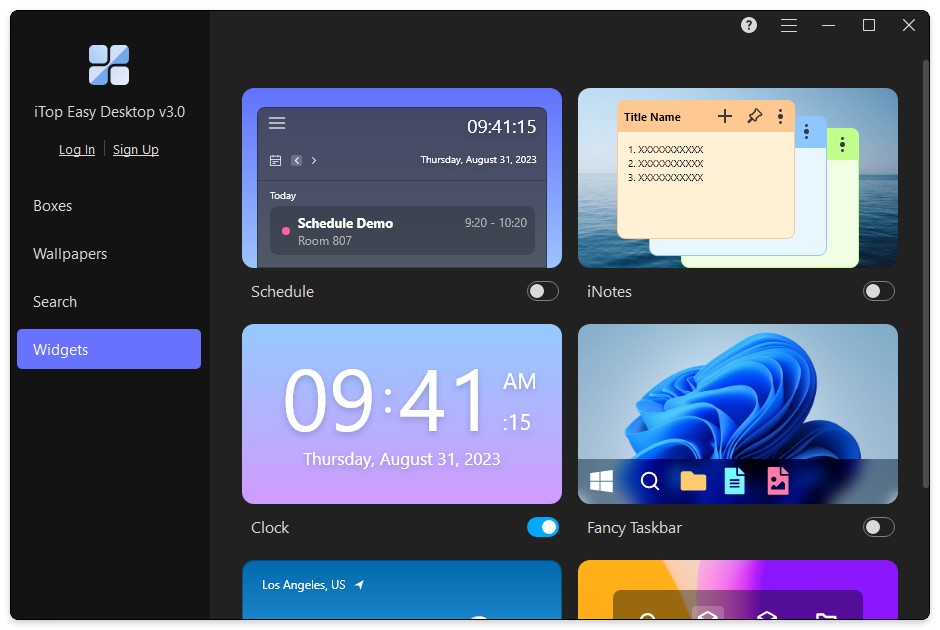
iTop Easy Desktop comes with useful widgets. You get a Schedule, Clock, Weather, and Notes tool. The schedule connects to Google Calendar to track your tasks. iNotes let you write quick reminders. The Weather widget shows local updates. These tools stay right on your desktop. You don’t need to open other apps. This saves time and keeps you on track.
Extra Perks of iTop Easy Desktop
iTop Easy Desktop does more than just clean up. It’s small, using only 36.6 MB of space. It works on Windows 7, 8, 10, and 11. Unlike some paid tools, the free version is totally enough for you. It also works with multiple screens so that you can set up each one differently. This is awesome for work or school. Plus, it has a ChatAI tool to help with things like translating text. All these features make it a top choice.
Wrapping Up
A messy desktop slows you down. It wastes time and adds stress. iTop Easy Desktop fixes that. It sorts files fast, organizes with boxes, and hides distractions. You can lock private files and search quickly. Fun designs keep you inspired. Handy widgets make tasks easier. These tips make your desktop a better place to work. Download iTop Easy Desktop now. Get your desktop clean and work better today!

