

Introduction
Not every underperforming website needs a complete overhaul. Sometimes small, targeted improvements can deliver meaningful results quickly. Other times, only a full redesign will address deeper structural, technical, or strategic issues. Knowing the difference saves both time and budget while ensuring your site supports growth.
This article outlines how to evaluate whether you should invest in a complete redesign or focus on incremental fixes. By examining performance metrics, user experience, and business goals, you can choose the right path forward.
Signs You Need a Quick Fix
Not every issue calls for a full rebuild. In many cases, targeted adjustments can improve performance and conversions without the cost and time of starting over.
Common Situations
- Slow load speeds caused by uncompressed images or excess scripts.
- Weak CTAs that can be rewritten for clarity and action.
- Missing social proof like testimonials, logos, or reviews.
- Confusing navigation labels that can be simplified without redesigning the entire structure.
When Quick Fixes Work
Quick fixes are effective when the site’s design is modern, the brand positioning is clear, and the technology stack is up-to-date. According to HubSpot, even small changes like rewriting CTAs can improve click-through rates by up to 121%.
Example: Velsa
Velsa, a German legal-tech startup, launched its website using a prebuilt template. While the design itself didn’t demand a rebuild, the site struggled to generate meaningful results. The main gaps were technical SEO and conversion optimization.
By focusing on targeted improvements, restructuring on-page SEO, refining calls-to-action, and streamlining lead forms, we helped Velsa move the needle without a redesign. Over time, these fixes significantly boosted conversions, showing that quick, strategic changes can be more impactful than an expensive rebuild when the foundation is solid.
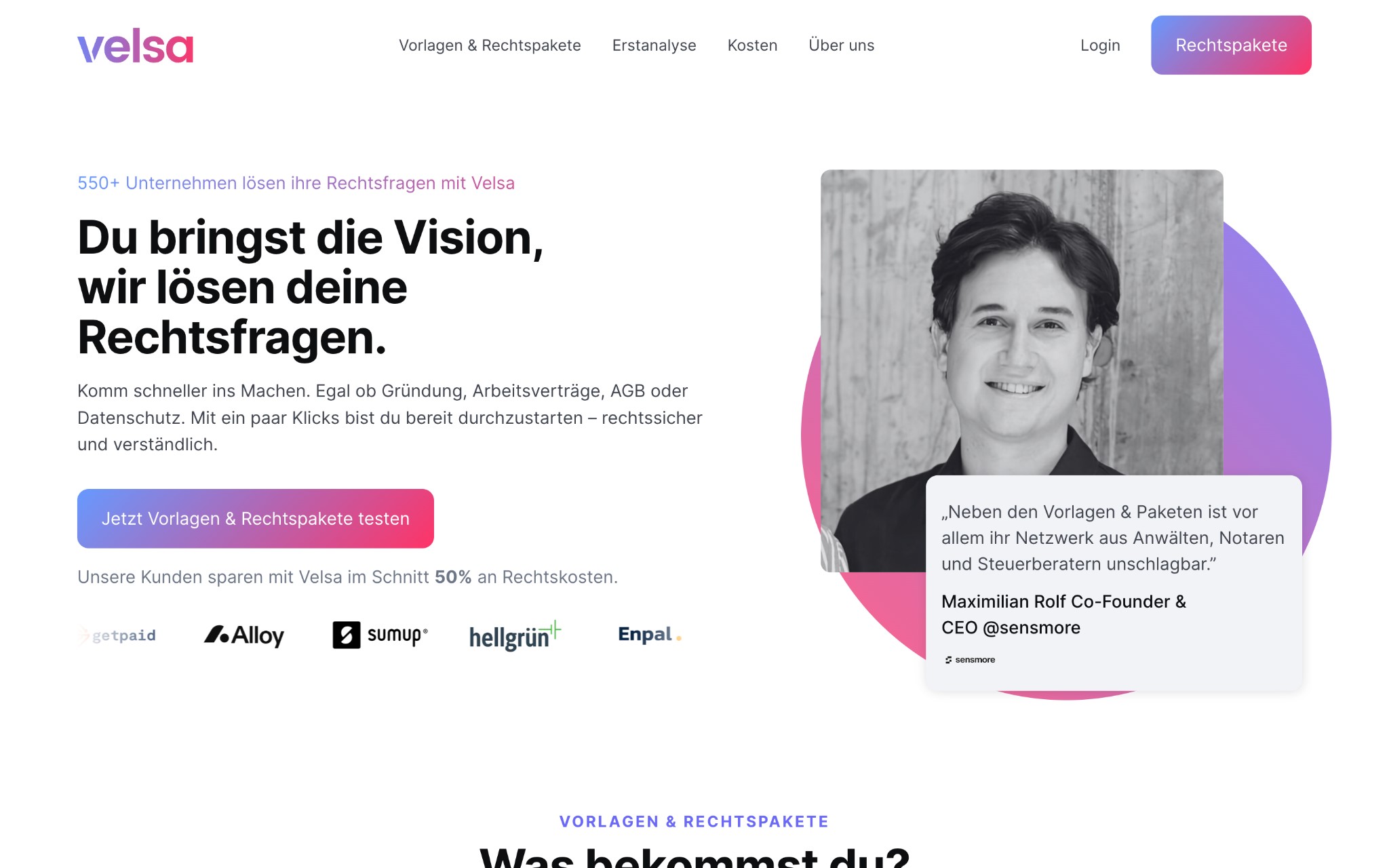
While Velsa succeeded with focused SEO and CRO adjustments, other companies require a full rebuild to unlock growth.
Signs You Need a Full Redesign
Sometimes surface-level tweaks are not enough. If the core of your site no longer supports your goals, a redesign becomes necessary.
Common Situations
- Outdated technology that makes updates difficult or limits integrations.
- Poor mobile experience with layouts that break on smaller screens.
- Inconsistent branding that no longer matches your company’s positioning.
- Low conversion rates despite attempts at quick fixes.
When Redesigns Are Critical
A full redesign is the right choice when your website feels like a barrier instead of a growth driver. Redesigns allow you to realign design, messaging, and technology around your current business strategy.
The research from Stanford’s Web Credibility Project, which found that 75% of users judge a company’s credibility based on website design.
Example: Speculo AI’s Website Revamp
Speculo.ai, an AI platform helping real estate agents follow up with leads, had a powerful product but a website that held it back. The old site was visually outdated, lacked a clear AI value proposition, and provided no interactive way for visitors to experience the product.
We rebuilt the site from the ground up: tightening the messaging, introducing an interactive demo where users could trigger an AI call instantly, and adding proof points such as testimonials, case studies, and adoption metrics. The redesign also introduced a scalable visual identity and CMS-powered content system for long-term growth.
The results were immediate: a 300% increase in demo engagement, shorter sales cycles, and stronger trust from both investors and agents. For scaling AI companies like Speculo, a full redesign provided the foundation to grow.

For scaling companies like Speculo, working with Webflow website development company ensures that redesigns balance brand, performance, and long-term scalability.
A Framework to Decide
Making the choice between a quick fix and a redesign requires looking at data, user experience, and business goals together.
Step 1: Audit Performance Metrics
- Check bounce rates, time on site, and conversion rates.
- Compare mobile vs. desktop performance.
- Use tools like Google Analytics and PageSpeed Insights.
Step 2: Assess User Experience
- Gather feedback from real users or run usability tests.
- Identify areas where navigation or messaging creates friction.
- Look for design inconsistencies that erode trust.
Step 3: Align with Business Goals
- Ask if your website reflects current positioning, audience, and growth stage.
- If scaling or entering new markets, a redesign may be required.
- If the goals are incremental (e.g., improving lead gen by 10%), quick fixes may suffice.
Step 4: Calculate Cost vs. Impact
- Redesigns are resource-heavy but can unlock long-term growth.
- Quick fixes are cost-efficient but may deliver only short-term improvements.
This framework ensures decisions are based on evidence rather than assumptions.
Conclusion
Websites are business assets, not just design projects. Knowing when to apply targeted improvements and when to commit to a full redesign can save time, money, and missed opportunities.
Quick fixes are best for addressing small gaps in an otherwise solid site. Full redesigns are needed when your website no longer reflects your business direction or creates friction at scale.
Here’s the sharper takeaway: choosing incorrectly has a cost. Quick fixes applied to a broken foundation waste time and budget, while unnecessary redesigns delay growth. By using performance data, user insights, and business goals as guides, you’ll know whether to patch or rebuild — and make a confident decision that drives long-term growth.

