

Introduction
As developers, we are naturally focused on functional checks: verifying if a button triggers an event, if an API call succeeds, or if a form submits data correctly.
While that logic is essential, it completely misses an entire category of bugs that users notice instantly. Overlapping text, broken mobile layouts, and misaligned components don’t fail code assertions or throw console errors, they just ship quietly to production. In fact, studies show that over 80% of users will abandon an application after experiencing a broken or non-functional user interface.
Visual testing tools solve this by capturing screenshots of your application across browsers and comparing them against approved baselines. When a CSS or component change alters element spacing, alignment, or visibility, the tool highlights the exact visual difference before your code merges.
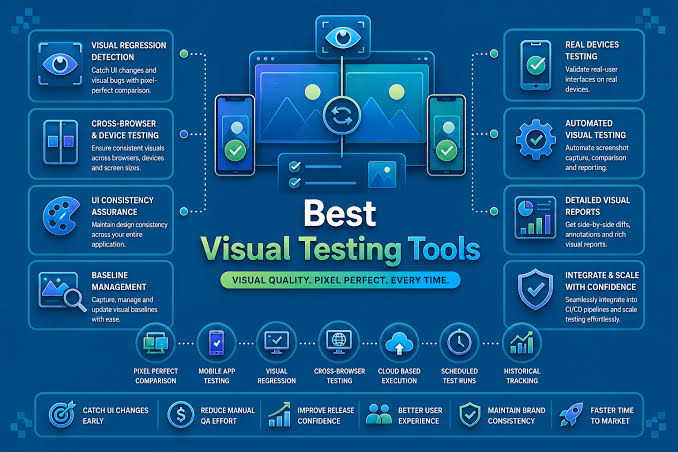
This guide breaks down the best visual testing tools for 2026, comparing how they handle diffs, how easily they integrate with your code, and which one fits your team’s workflow.
What Is Visual Testing?
Visual testing is the process of automatically capturing screenshots of your UI and comparing them against a previously approved baseline. When something changes like a layout shift, a broken style, a misaligned element, a color that changed after a CSS update, the tool flags it as a visual difference for a human to review.
It works in three steps. First, a baseline screenshot is captured and approved as the correct state of the UI. From that point, every test run captures a new screenshot and diffs it against the baseline pixel by pixel. If they detect differences such as layout shifts, missing elements, color changes, or broken spacing, they flag them for review. Some tools also use AI to distinguish meaningful UI changes from expected updates, reducing false positives.
Visual testing is commonly used alongside functional testing, not as a replacement. Together, they help ensure that an application not only works correctly but also delivers a consistent user experience across releases.
What Are the Best Visual Testing Tools for 2026?
The visual testing ecosystem has grown rapidly, with tools designed for different development workflows and testing needs. The options below are among the most widely used and reliable choices available in 2026.
SmartUI by TestMu AI (formerly LambdaTest)
SmartUI is an AI-native visual regression testing platform built directly on TestMu AI’s execution cloud. It automates snapshot capture, visual comparisons, and regression analysis across thousands of browsers, resolutions, and real mobile devices.
Unlike basic pixel-diffing tools, SmartUI uses computer vision algorithms to evaluate what counts as a genuine visual bug. It filters out rendering noise like font variations, dynamic content, and OS anti-aliasing before flagging issues for human review.
Key Features
- Smart Ignore mode filters anti-aliasing, sub-pixel font rendering, and dynamic regions out of diffs, reducing false positives by up to 95%.
- Figma baseline integration allows teams to import Figma design frames as baselines, validating live implementation directly against original design files.
- Smart Root Cause Analysis (RCA) generates plain-language descriptions for visual changes and categorizes them by user impact level, from critical to low.
- Multi-framework SDKs integrate natively into existing Selenium, Playwright, Cypress, Puppeteer, WebdriverIO, and TestCafe automation test suites.
Best For: Engineering and QA teams running high-volume, cross-browser visual regression suites where false-positive triage has become a major bottleneck.
Limitations: Because SmartUI runs image captures on hosted cloud nodes, screenshots are processed outside your local network, meaning enterprise teams with strict data-residency rules must opt for dedicated enterprise environments.
Chromatic
Chromatic is a cloud-based visual testing platform built for teams using Storybook. It captures screenshots of UI components after every code change and compares them with a baseline to detect unintended visual regressions before they’re merged.
Because it tests components in isolation, Chromatic works especially well for design systems and reusable UI libraries. It also integrates with GitHub, GitLab, Bitbucket, and CI/CD pipelines, making visual reviews part of the development workflow.
Key Features
- Native Storybook Integration automatically converts existing stories into isolated visual test cases without additional setup.
- TurboSnap Technology uses Git dependency tracking to test only modified components, reducing snapshot usage and build times.
- Unified Review Workflow integrates directly with GitHub, GitLab, and Bitbucket pull requests for team approvals and design system reviews.
- Cross-Browser Cloud Rendering captures component snapshots simultaneously across real instances of Chrome, Firefox, Safari, and Edge.
Best for: Teams using Storybook to build and maintain component-based applications.
Limitation: Chromatic is most valuable for Storybook-based workflows, and larger teams may need a paid plan as usage grows.
BackstopJS
BackstopJS is a popular, open-source visual regression testing framework designed to catch pixel-level UI changes across web applications. It runs locally or directly inside your CI/CD pipelines using headless browser automation engines like Puppeteer and Playwright.
Rather than relying on third-party cloud platforms, BackstopJS renders your web pages across custom viewports, saves baseline snapshots locally, and generates interactive in-browser diff reports featuring a visual scrubber slider.
Key Features
- Generates interactive HTML reports with side-by-side comparisons and a visual scrubber slider to pinpoint tiny layout shifts.
- Simulates user interactions like clicking buttons, filling forms, and triggering hover states, before capturing screenshots.
- Leverages Puppeteer and Playwright to ensure reliable screenshot capture across various headless browser engines.
- Integrates directly into CI/CD pipelines, returning standard exit codes to flag visual mismatches and fail builds automatically.
Best for: Teams looking for a free, highly configurable visual regression testing solution that can be integrated into automated workflows.
Limitation: Strict pixel matching frequently causes false positives due to minor font and rendering differences across operating systems. It also lacks AI baseline management, forcing teams to store and update baseline images manually in their own repositories.
Playwright
If your team runs Playwright for E2E testing, visual comparisons are already available. Playwright includes native visual regression capabilities built directly into its core framework using the toHaveScreenshot() assertion. It allows teams to implement visual testing without installing external packages or paying for third-party cloud services.
When executed for the first time, Playwright captures a baseline image and saves it directly inside your project repository. On subsequent runs, it compares new UI captures against that stored reference, highlighting pixel deviations if they exceed configured tolerance limits.
Key Features
- Native toHaveScreenshot() assertion automatically waits for elements to be visible and stable before taking snapshots.
- Built in masking options overlay solid blocks over dynamic content like live dates, timers, and user avatars to eliminate noise.
- Configurable pixel thresholds allow teams to control sensitivity parameters like maximum pixel ratios and tolerance limits.
- Cross-browser emulation captures visual snapshots across Chromium, WebKit, and Firefox layout engines out of the box.
Best For: Development teams already using Playwright for end to end testing who want free, local visual regression checks without adding extra dependencies.
Limitations: Native baselines are OS dependent, meaning screenshots taken on macOS often fail on Linux CI nodes unless executed inside Docker containers. It also lacks a visual review dashboard, forcing developers to manually manage baseline images and merge conflicts directly inside Git.
Cypress
Cypress is the go-to web automation framework for front-end developers who want fast feedback loops in JS/TS. However, Cypress does not have a native visual comparison engine built into its core runner. To get visual regression coverage, you have to attach open-source plugins like cypress-visual-regression and cypress-image-snapshot, directly onto your existing cy.screenshot() commands.
When integrated into your test suite, these plugins capture screenshots during test execution and compare them against local baseline files, generating visual diffs inside the Cypress Test Runner when rendering discrepancies occur.
Key Features
- Seamless integration with Cypress E2E workflows allows developers to run functional and visual assertions in a single test script.
- Interactive in-runner debugging displays actual screenshots, baselines, and visual diffs side-by-side within the Cypress GUI.
- Flexible scope targeting lets you snapshot specific components via cy.get() to reduce dynamic page noise.
- Custom mismatch threshold configurations allow teams to define global or test-specific error tolerance levels.
Best For: Front-end development teams already running Cypress for end-to-end tests who want quick, component-level visual regression checks without adopting an entirely new platform.
Limitations: Cypress lacks a built-in visual comparison engine, requiring third-party plugin maintenance. Storing baseline images in Git leads to repository bloat, and local-versus-CI rendering mismatches will trigger false positives unless tests are isolated inside Docker.
Happo
Happo is a high-speed, cross-browser screenshot testing cloud designed specifically for modern component-based workflows. Instead of taking slow, full-page snapshots inside your CI runner, Happo delegates rendering to its own parallelized infrastructure, taking screenshots across real browser instances (Chrome, Firefox, Safari, Edge, and iOS Safari) in seconds.
It hooks directly into frameworks like Storybook, Cypress, and Playwright to catch broken layouts, CSS regressions, and accessibility violations on every pull request before code merges.
Key Features
- Offloads snapshot execution to cloud workers, ensuring fast CI build times even for large component libraries.
- Captures visual snapshots across Chrome, Firefox, Safari, Edge, iOS Safari, and native mobile environments.
- Detects new WCAG accessibility violations alongside visual diffs in the same workflow run using built-in axe-core checks.
- Posts direct status checks and interactive diff reports to GitHub pull requests for quick team approvals.
Best for: Fast-moving engineering teams with large Storybook or Cypress suites who need ultra-fast cross-browser visual checks and integrated accessibility testing in CI.
Limitation: Happo relies on offloading rendering tasks to an external cloud service, making it unsuitable for security-conscious teams with strict on-premise execution policies or zero-external-data restrictions.
How Do You Choose the Right Visual Testing Tool?
Picking the right visual testing tool depends on your team’s existing tech stack, testing volume, and tolerance for maintenance overhead.
The most critical factor is how the tool handles image diffing. Basic pixel comparison tools are free and easy to start with, but they flag every sub-pixel shift and font variation as a failure. Intelligent AI engines cost more, but they filter out rendering noise and prevent false positives from bogging down your developers.
Next, look closely at where your baselines live and how your team reviews changes. Open-source frameworks store snapshot files directly in your Git repository, which works fine for small teams but bloats repository size over time. Enterprise platforms offer web dashboards and PR integrations, allowing developers and designers to approve visual updates together in one place.
Finally, consider your deployment architecture and execution speed. If you need to test across hundreds of real browser and mobile viewport combinations, a cloud-based grid is essential. If you only need quick sanity checks on local builds, an embedded framework assertion is usually all you need.
Conclusion
Visual regressions are often small enough to escape functional tests but obvious enough for users to notice. Catching them before a release is much easier than finding and fixing them after they’ve reached production.
The best visual testing approach depends on how your team builds and ships software. Some teams need a lightweight open-source solution, while others benefit from automated reviews, collaboration features, or tighter integration with their existing testing workflow. The important part is choosing a tool that fits naturally into your development process.
As teams ship updates more frequently, visual ai testing is becoming a standard part of quality assurance. It helps catch UI issues early, reduces review time, and gives teams confidence that every release looks as good as it works.

